
Data that is deleted
When you delete your account, the following information is removed: - Account information (email, password, profile) - Store / business settings - App usage history and preferences Deleted data cannot be recovered.
You can delete your account directly within the ModaPOS app. Follow the steps below to delete your account and related data. Deletion is permanent and cannot be undone, so please proceed carefully.
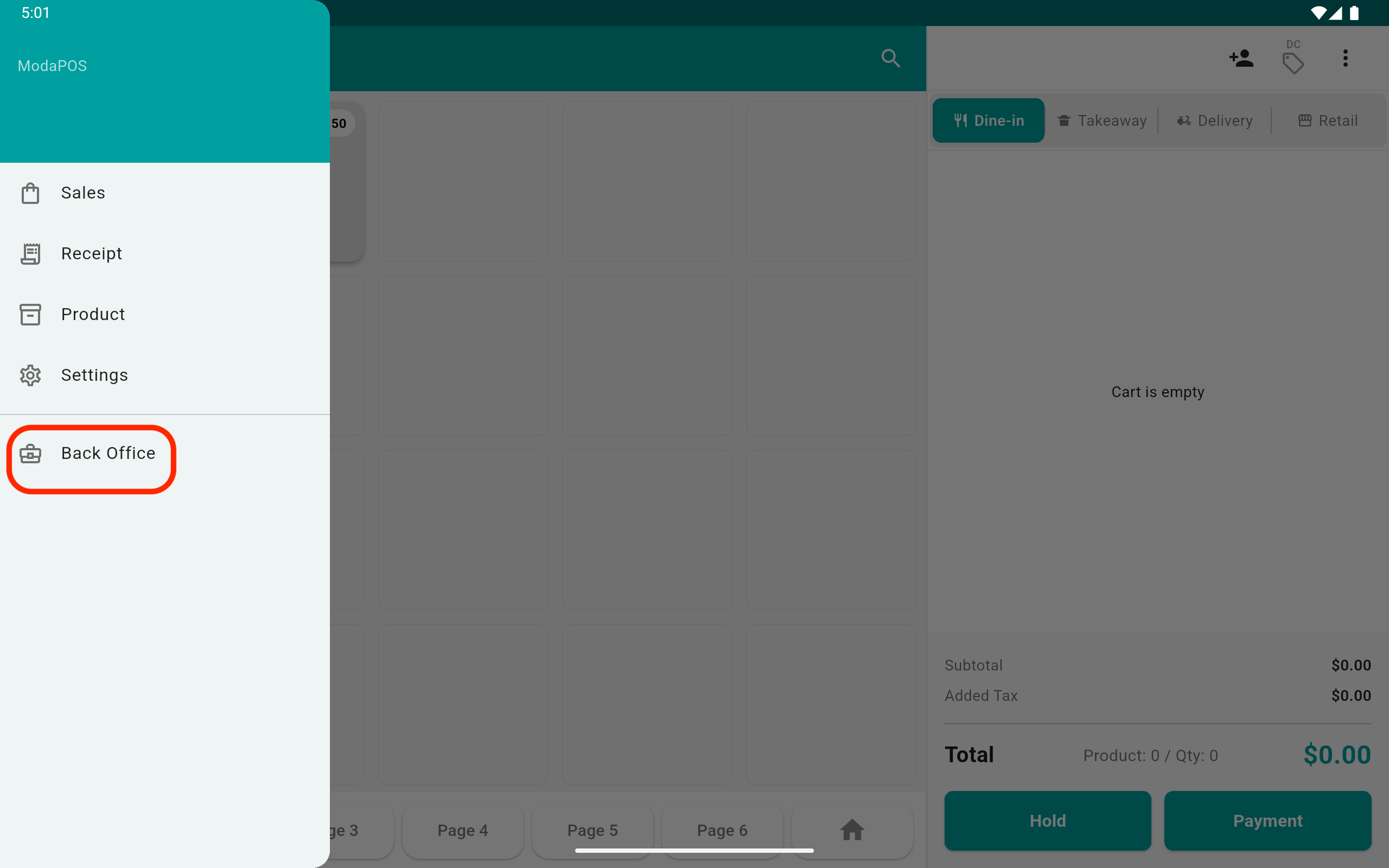
1To delete your account in the ModaPOS app, tap 'Back Office'.
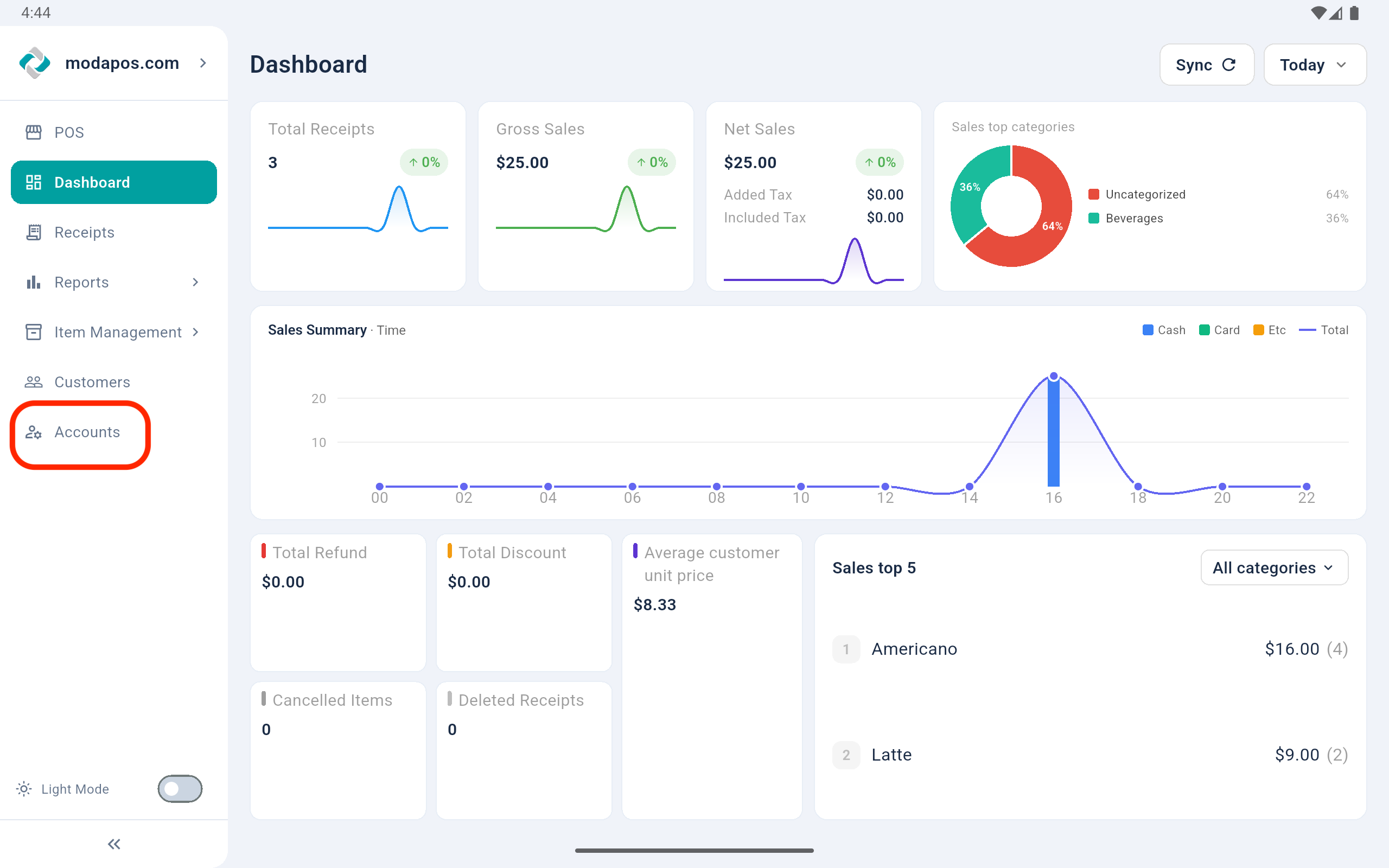
2In 'Back Office', tap 'Accounts'.
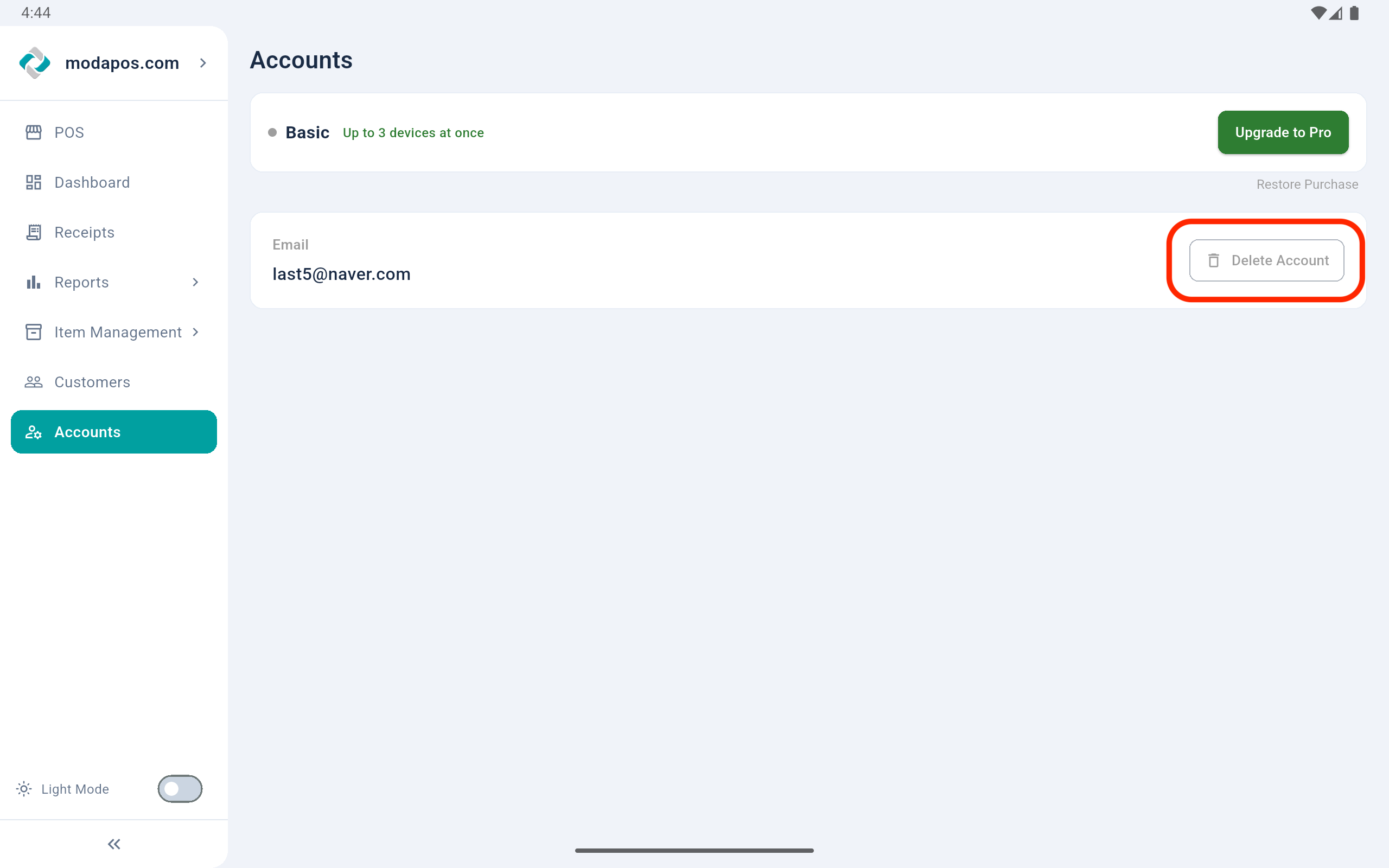
3In 'Account', tap 'Delete Account' button.
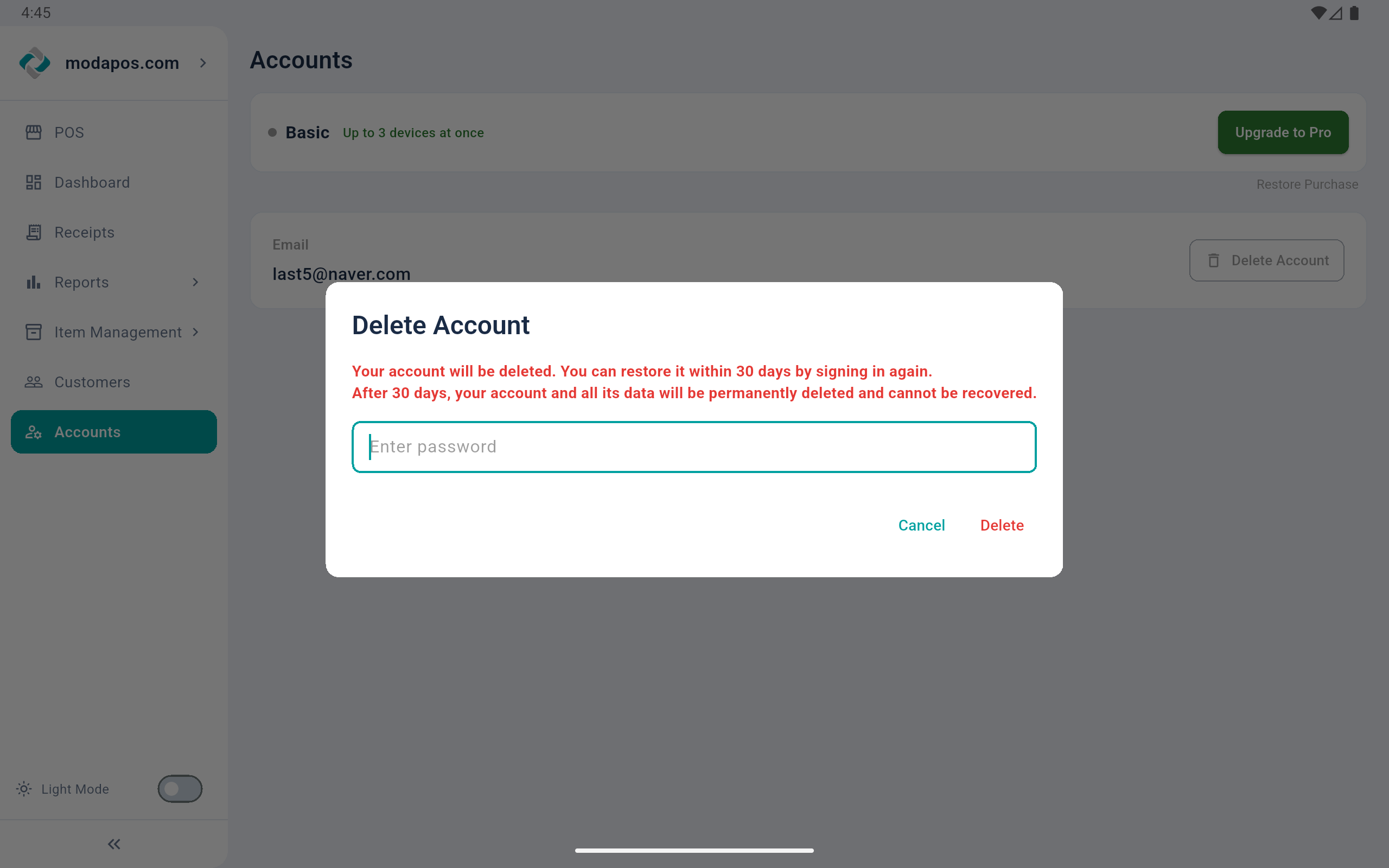
4Enter the account owner's password and click 'Delete'.
When you delete your account, the following information is removed: - Account information (email, password, profile) - Store / business settings - App usage history and preferences Deleted data cannot be recovered.