
Tablet POS for Cafés, Restaurants & Retail
Even when the internet drops, a POS that never stops
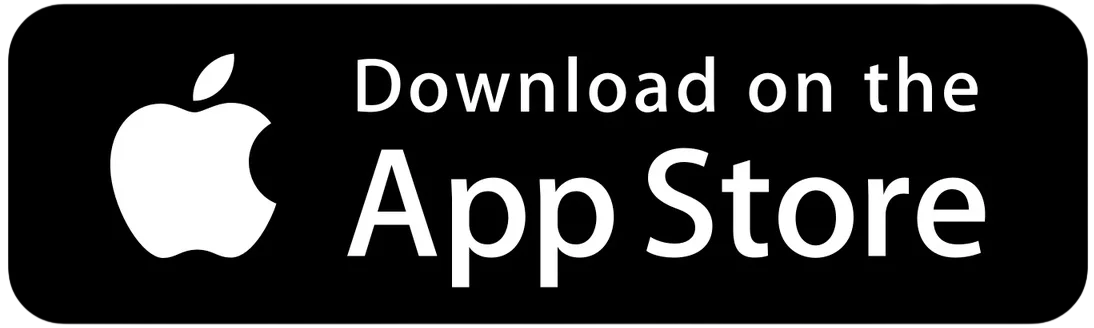
Keep selling even when the internet drops — ModaPOS syncs automatically once you're back online. Available on Android tablets, iPad, and smartphones — POS and kiosk mode in a single app.
- Fast ordering and payment on an intuitive screen
- A workflow that even first-time staff pick up easily
- Switch POS to kiosk mode with a single touch
Download for Free

Core Benefits ModaPos Delivers
As a dedicated POS software developer with years of development and operation experience, ModaPos quickly resolves real-world issues in the field and ships stable updates.
Zero Setup Cost, Zero Monthly Fees
No hardware to buy, no monthly fees. Just install the app on the phone or tablet you already have.
A POS That Keeps Running Even Offline
Orders, receipts, and payments keep working offline — data syncs on reconnect.
Switch to Unattended Kiosk in One Second
Switch to kiosk mode in one tap. No extra hardware — cut labor costs and boost efficiency.
Easy Sales Management & Loyal Customers
Sales reports at a glance, plus built-in point rewards and customer management.
Your POS keeps running offline
Even without internet, ModaPOS keeps taking orders, making sales, and printing receipts — once the connection is restored, your sales records sync to the server automatically.
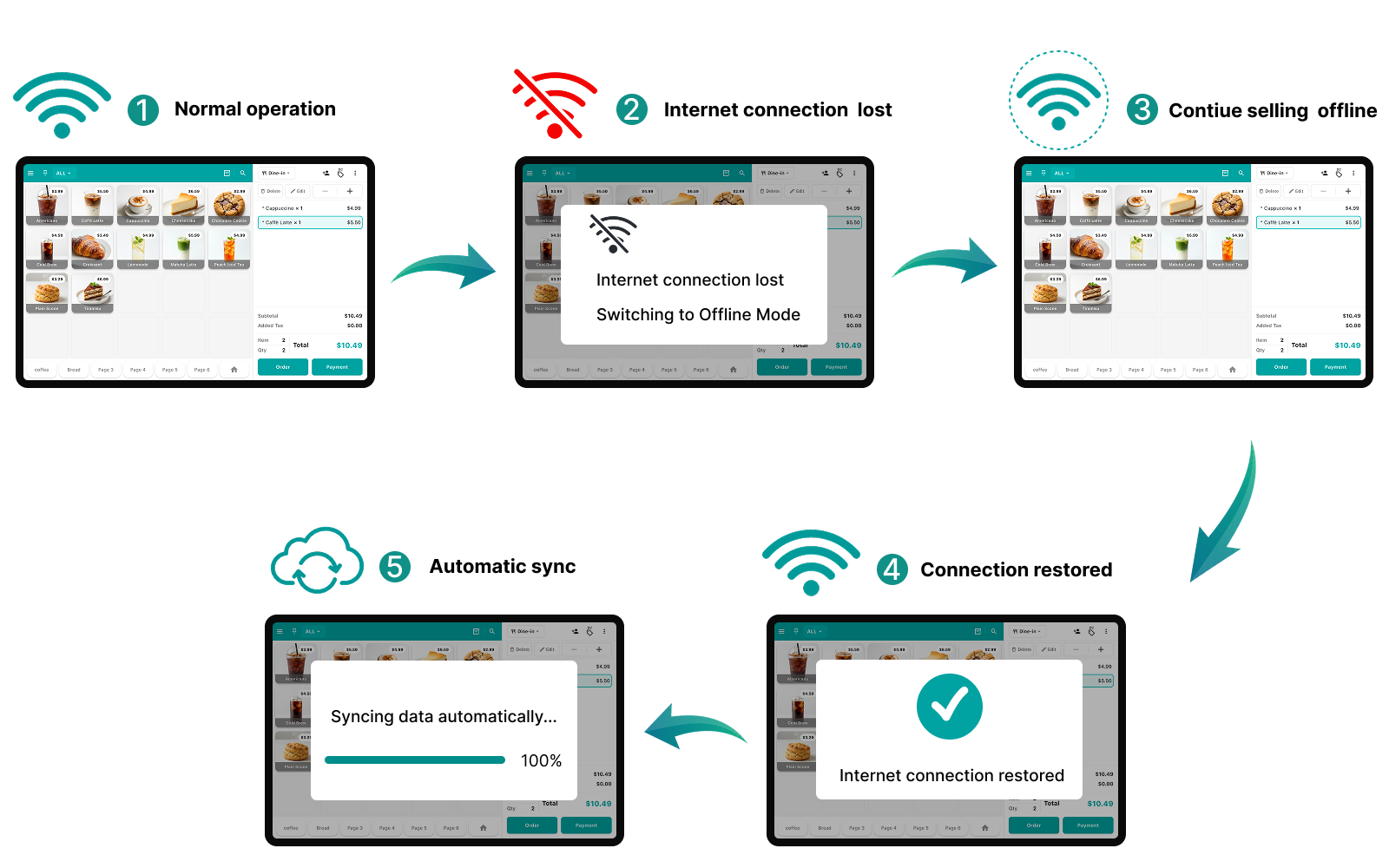
Offline Order & Sales Records
Every transaction is safely recorded, even without internet
Auto-Sync After Reconnect
Data uploads automatically the moment you reconnect
Uninterrupted Receipt Printing
Your printer keeps working normally offline
Effortless Operation
Automatically detects your connection and switches between online and offline modes
Even when the internet goes down, you can keep taking orders and making sales.
Orders, payments, kiosk, analytics — one app
Staff handle orders and payments faster.
Owners manage sales and products from anywhere.
- 1
From order to payment, fast
Options, discounts, split payments, and receipts —
all on one intuitive screen.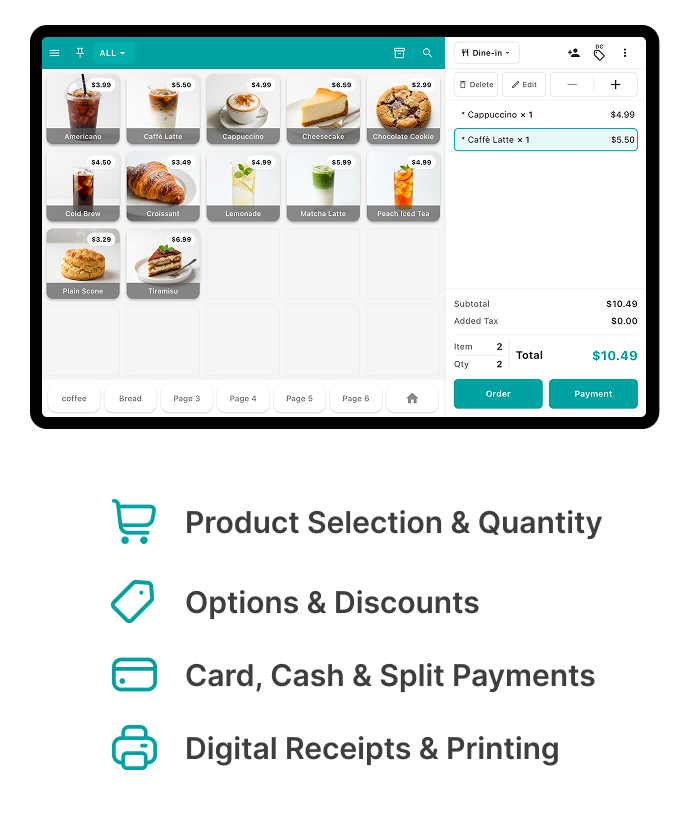
- 2
From POS to kiosk when needed
Switch between POS and kiosk mode
to fit your store.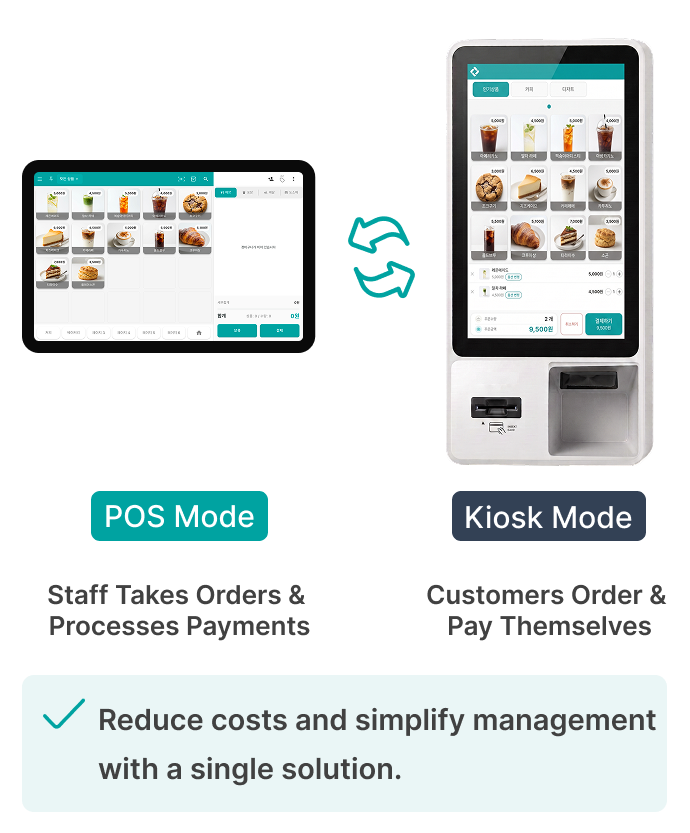
- 3
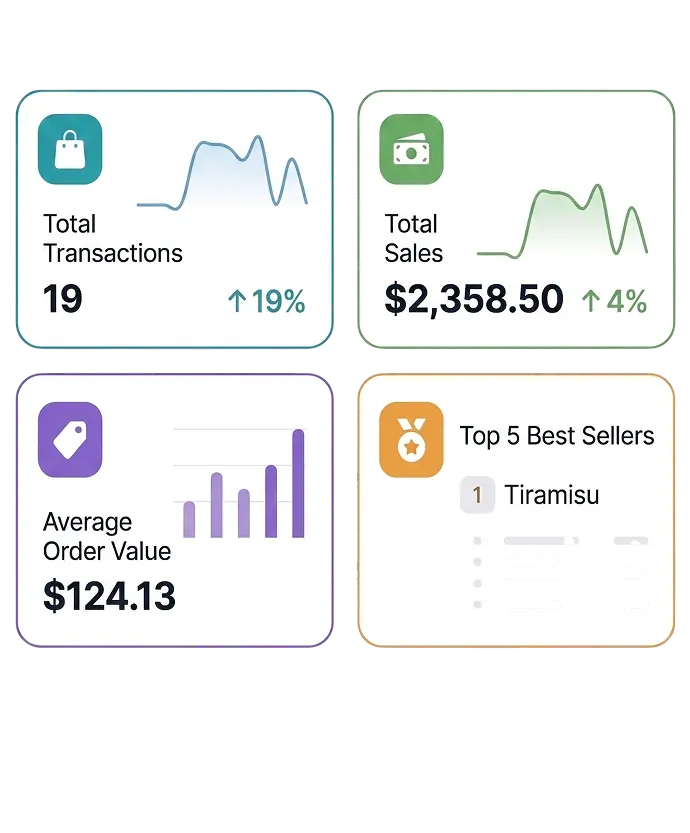
See your whole store in the back office
Check real-time sales, order count, average order value, and full sales reports at a glance.
- 4
Start at zero cost
Get started for free, with no upfront cost.
No complex features to learn.
Everyday ordering, payment, and management in one intuitive flow.
Orders, payments, store management —
one smartphone
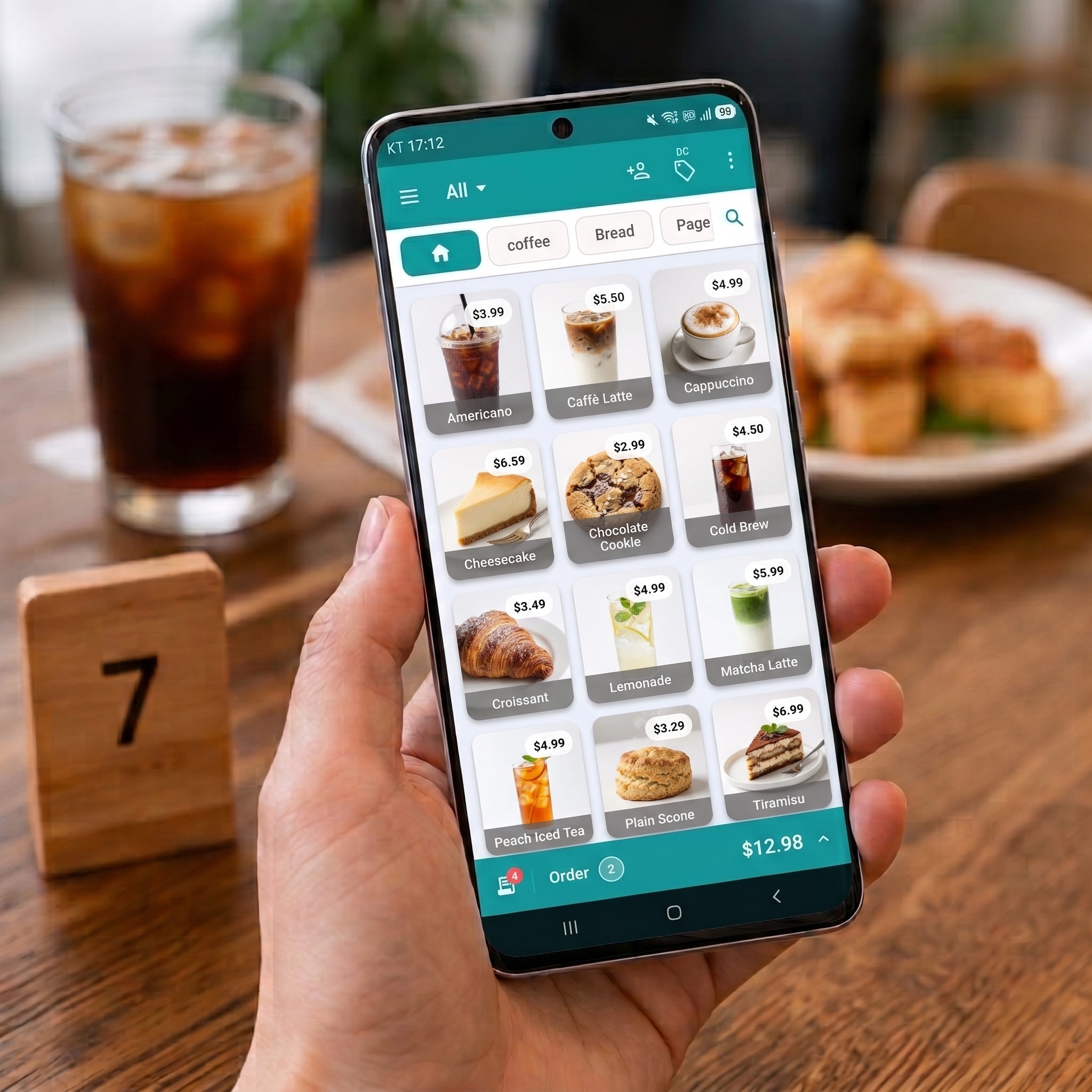
Put ModaPOS to work across every kind of store
Use order, payment, and product management features to fit your industry and the way you operate.
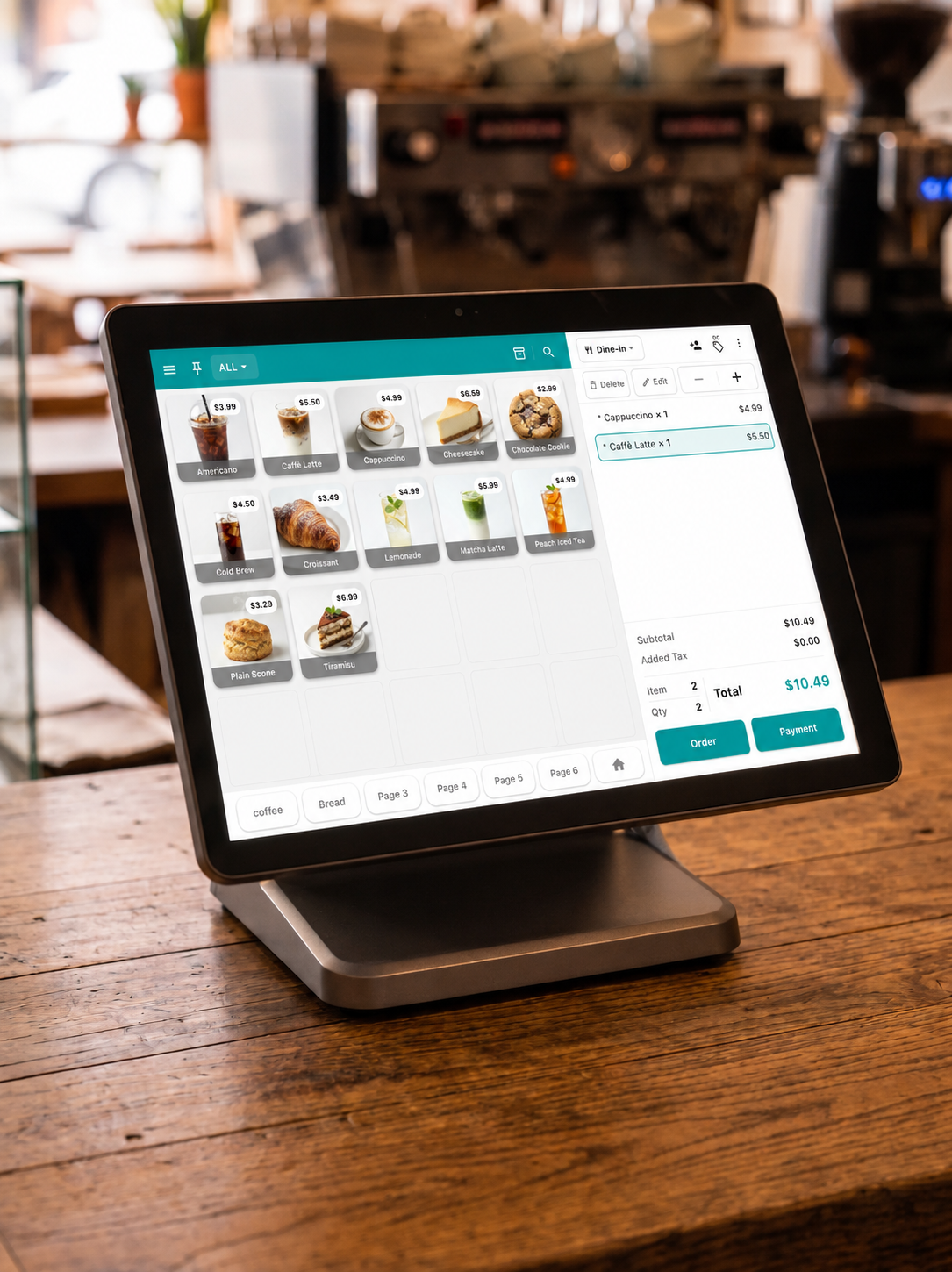
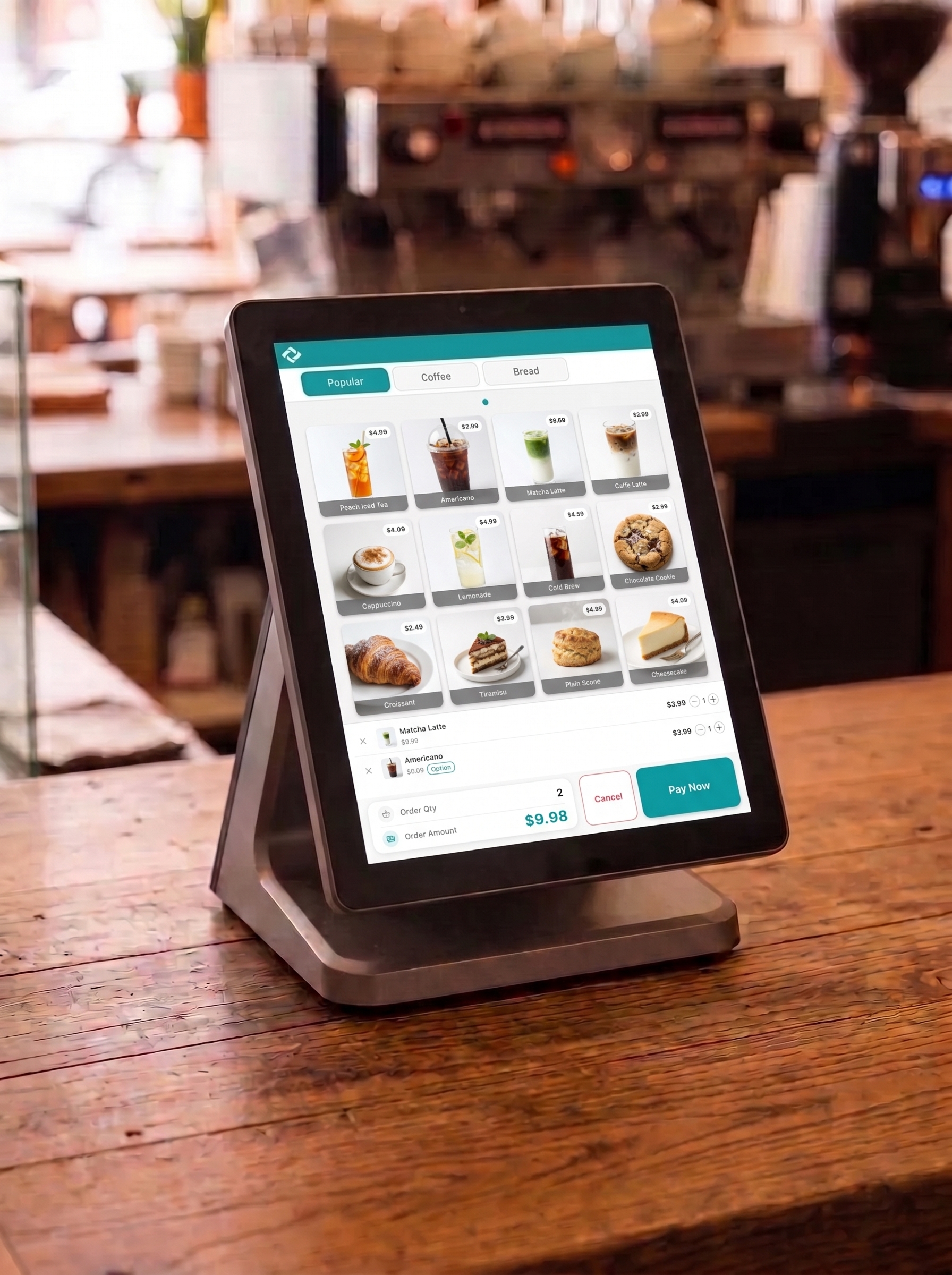
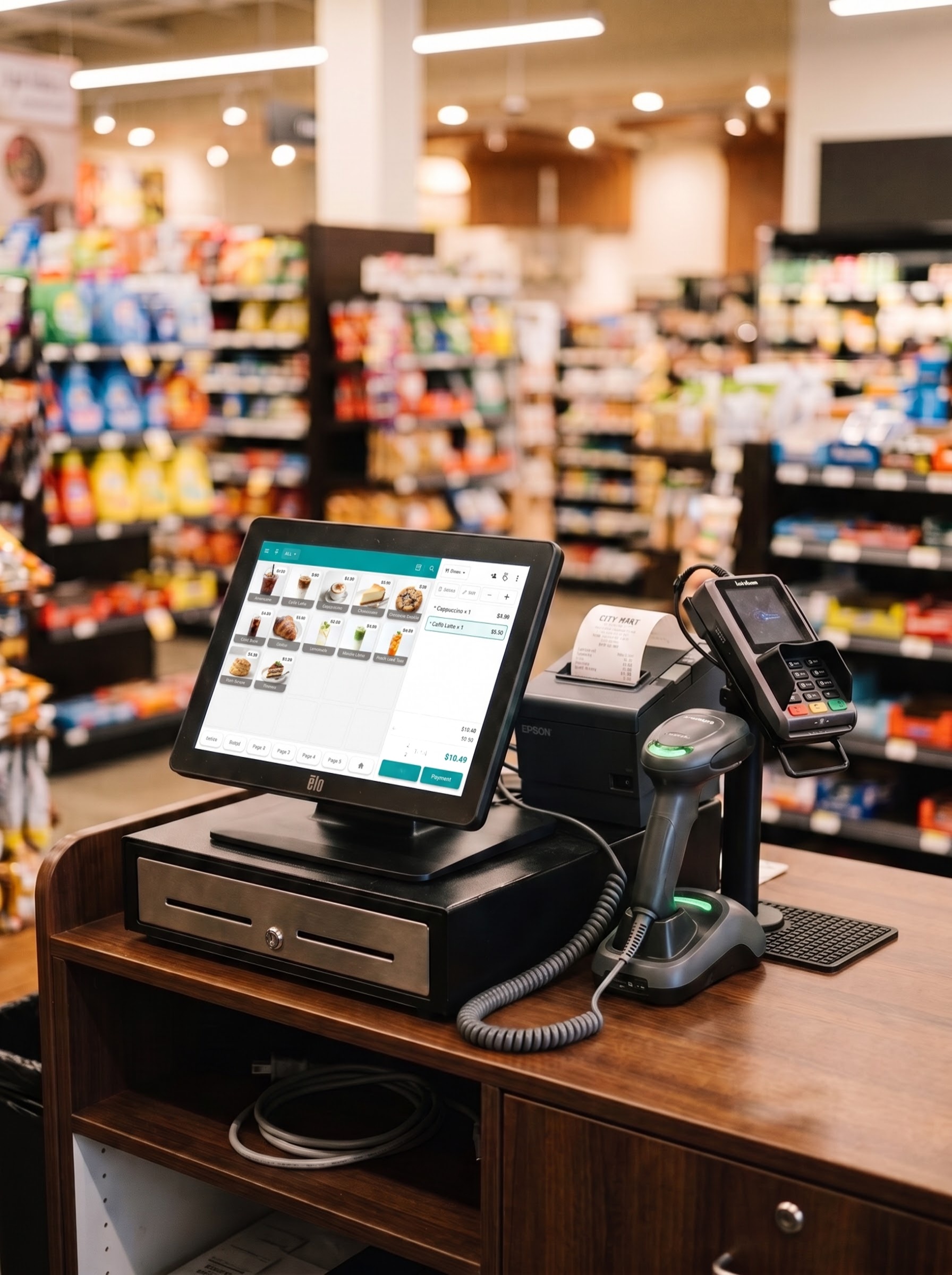
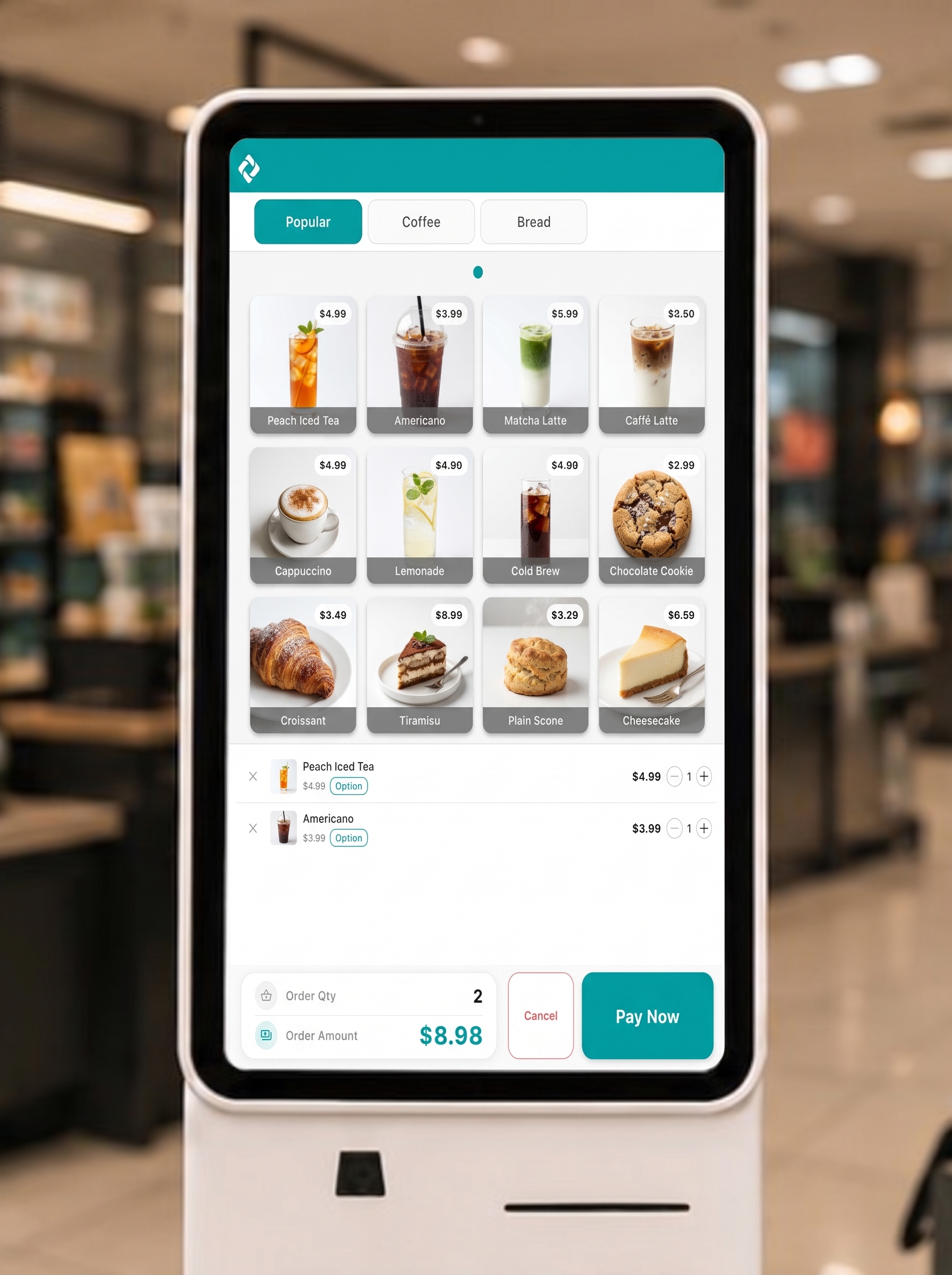

Whatever your industry, your core operations get simplerFrom orders and payments to product management, receipts, and sales tracking — use it to fit your store.
ModaPOS preview
The situations you run into every day at the counter — see exactly how ModaPOS handles them.
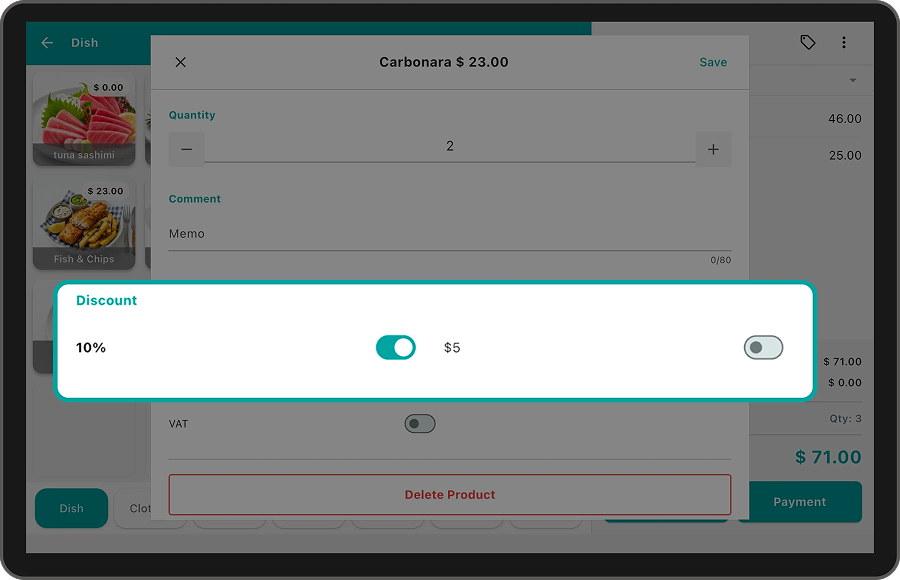
Apply Fixed & Percentage DiscountsPer Item or Entire Order
Apply or remove discounts while taking an order
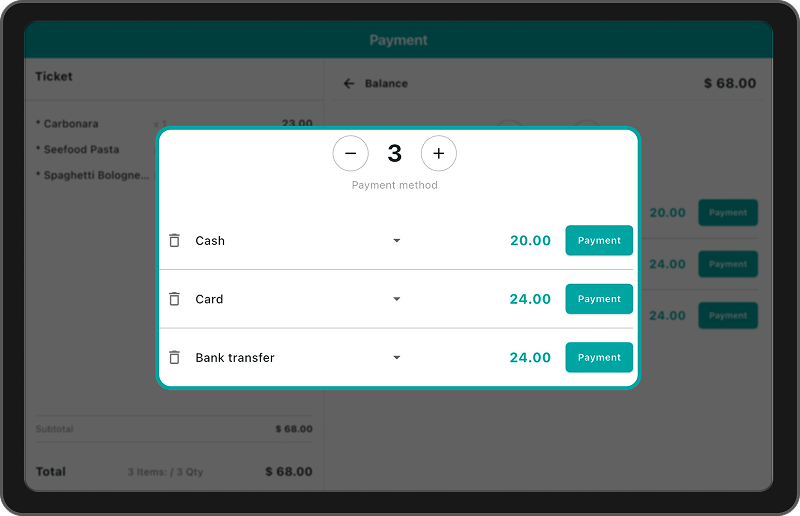
Split Payments Made Simple
Handle even the most complex payment requests with ease
Add or remove payment methods like cash, card, or bank transfer.Changing payment amounts is easy too.
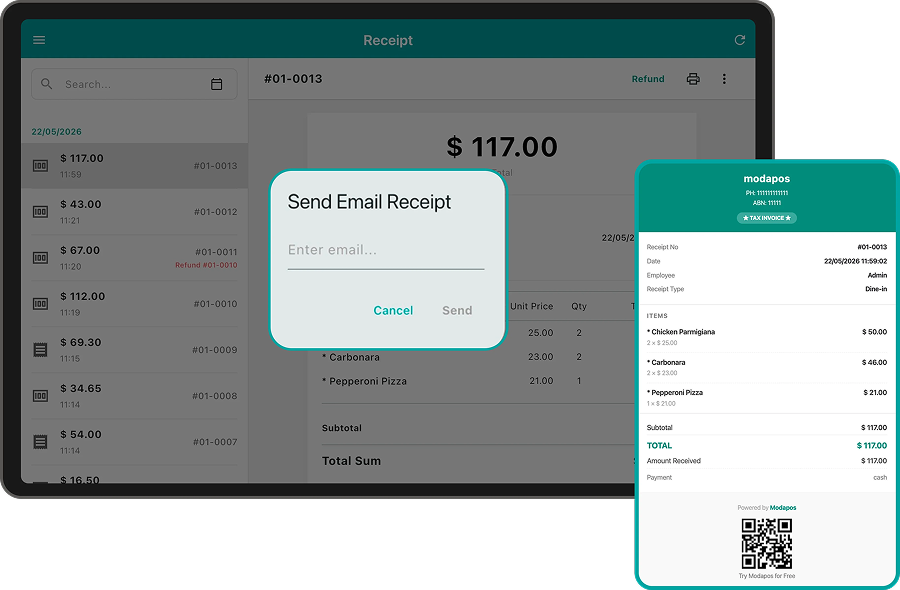
Turn Every Receipt IntoBranding & Marketing
Make the most of the last touchpoint your customers see
Send receipts straight to your customers' inboxand start marketing with collected emails
Start today
- Free to start
No signup fee, no monthly plan — kiosk mode included by default
- Additional POS
Start with one, add more whenever you need
Get a Free Consultation
Leave your store details and a dedicated consultant will contact you shortly.