
Pro Plan Subscription Guide
Upgrading to the Pro Plan lets you use up to 3 concurrent devices. Follow the steps below to subscribe to the Pro Plan in the ModaPOS app.
Subscribing to the Pro Plan in the app
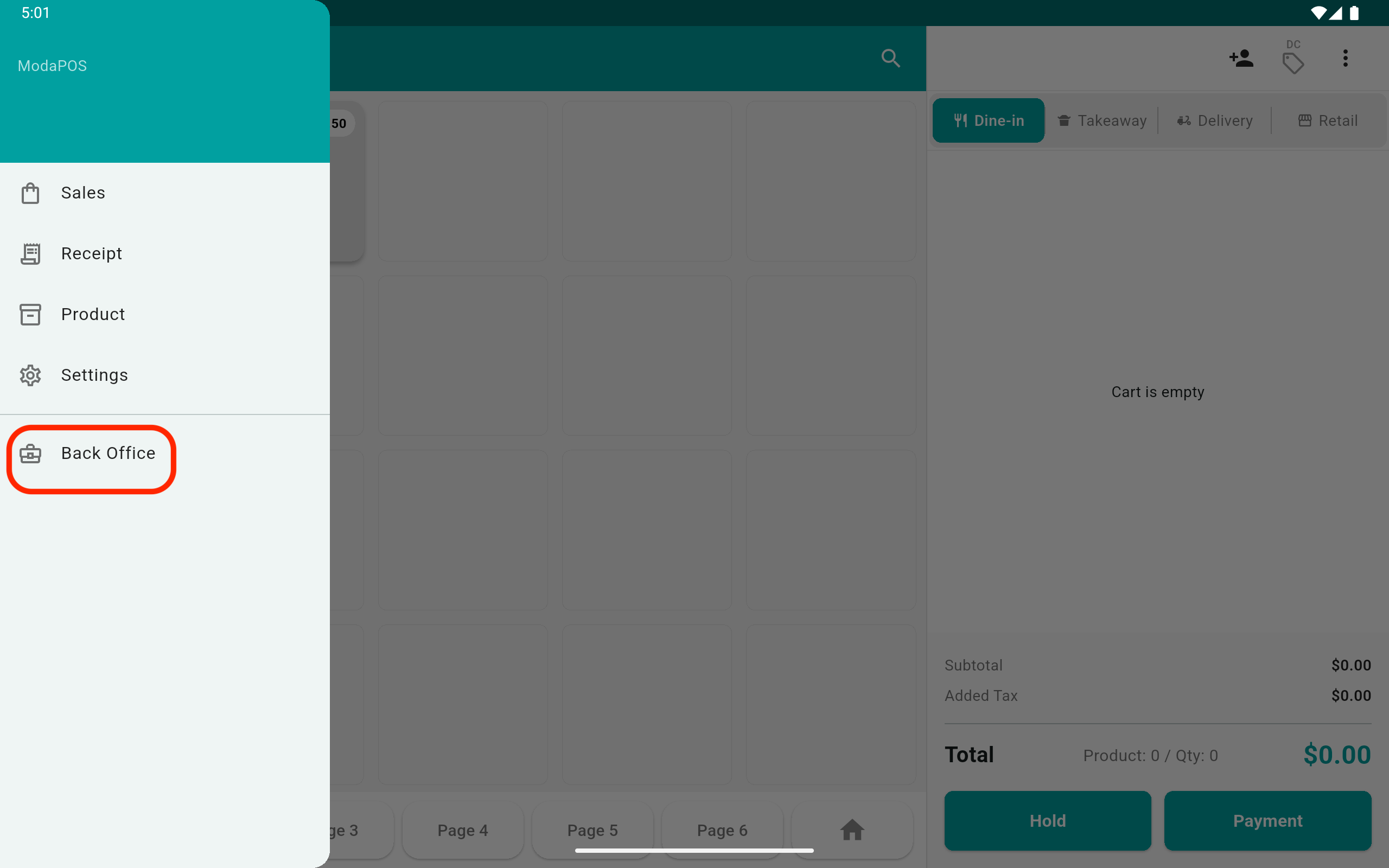
1To upgrade your plan in the ModaPOS app, tap 'Back Office'.
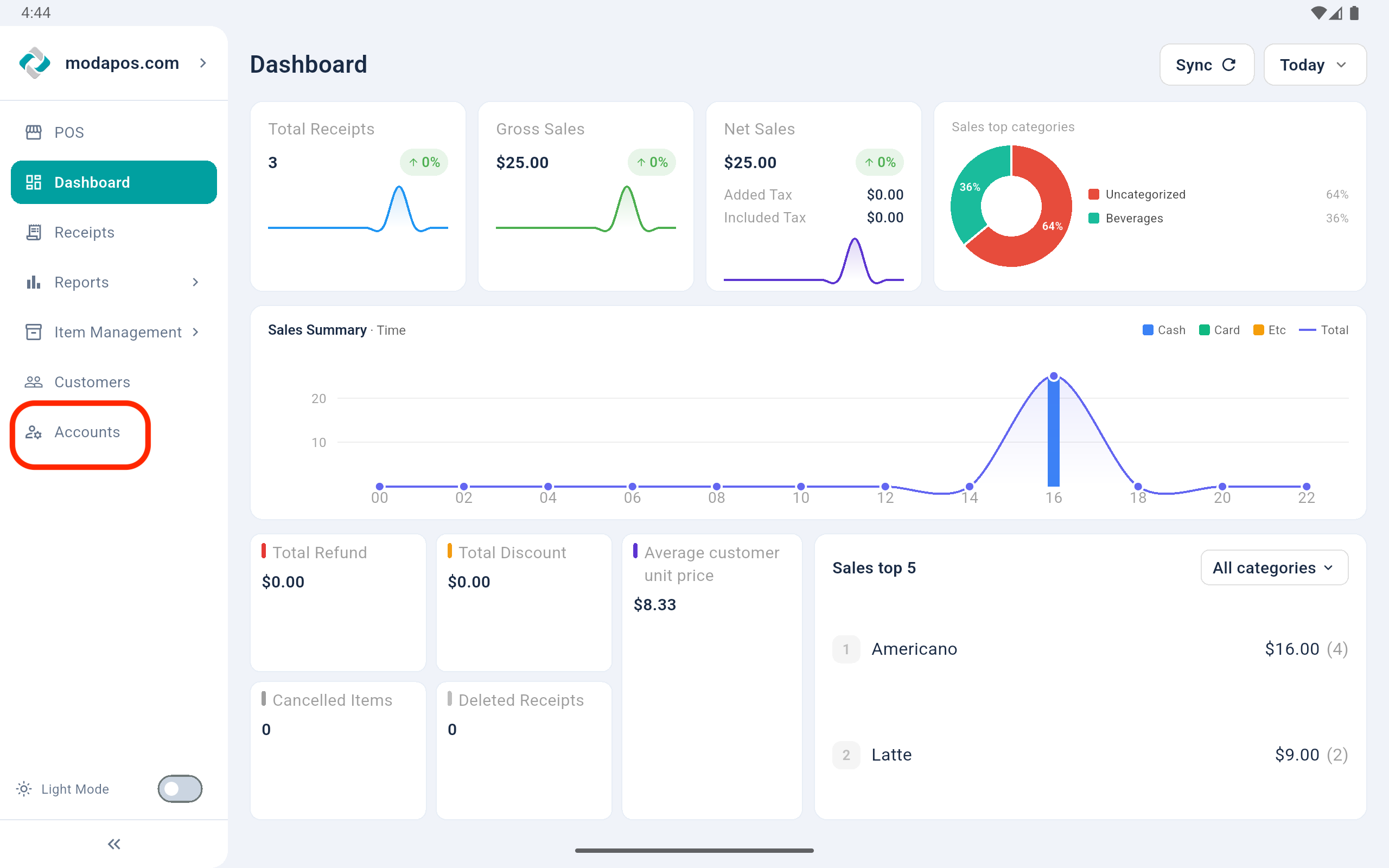
2In 'Back Office', tap 'Accounts'.
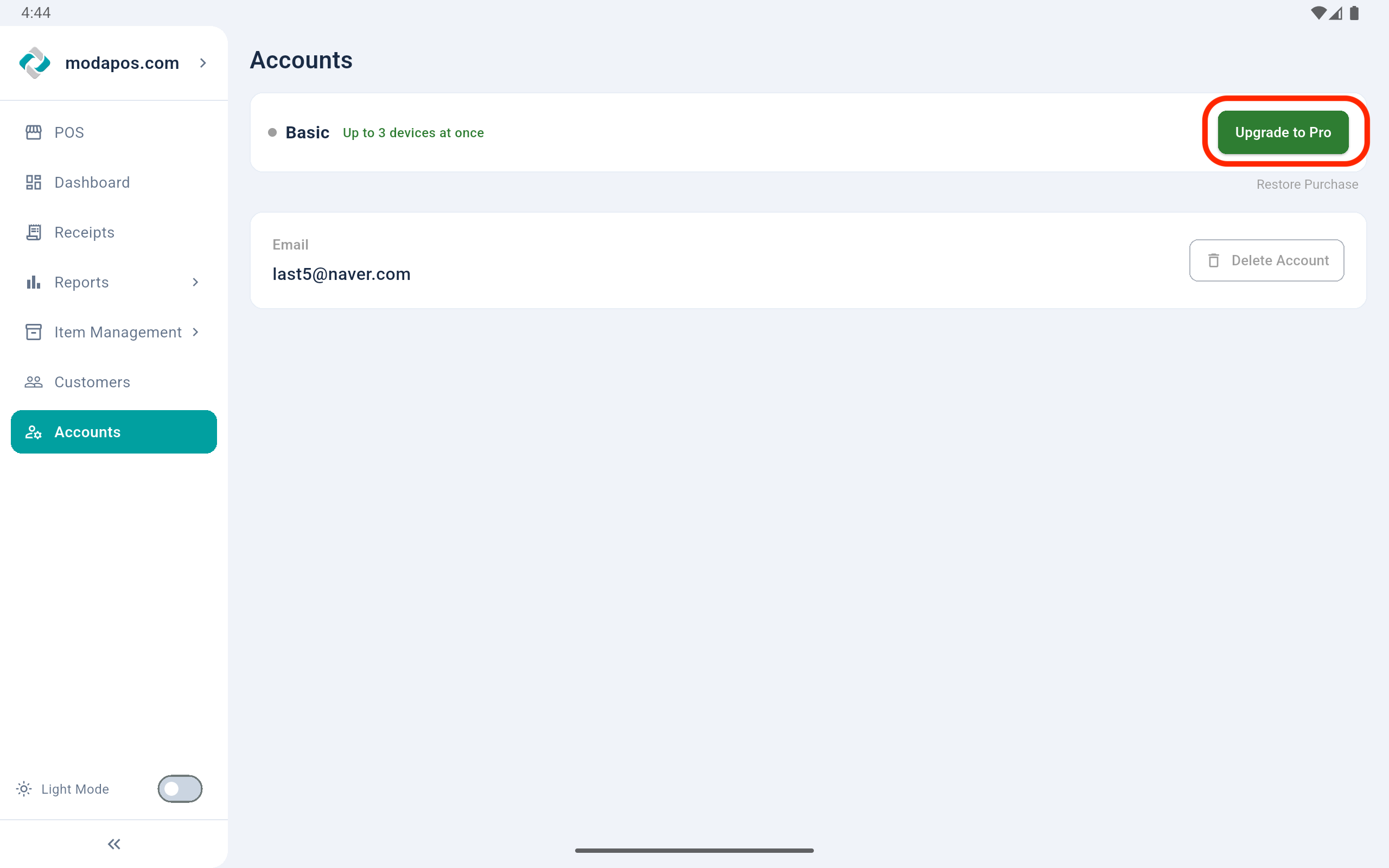
3In 'Account', tap the 'Upgrade to Pro' button.
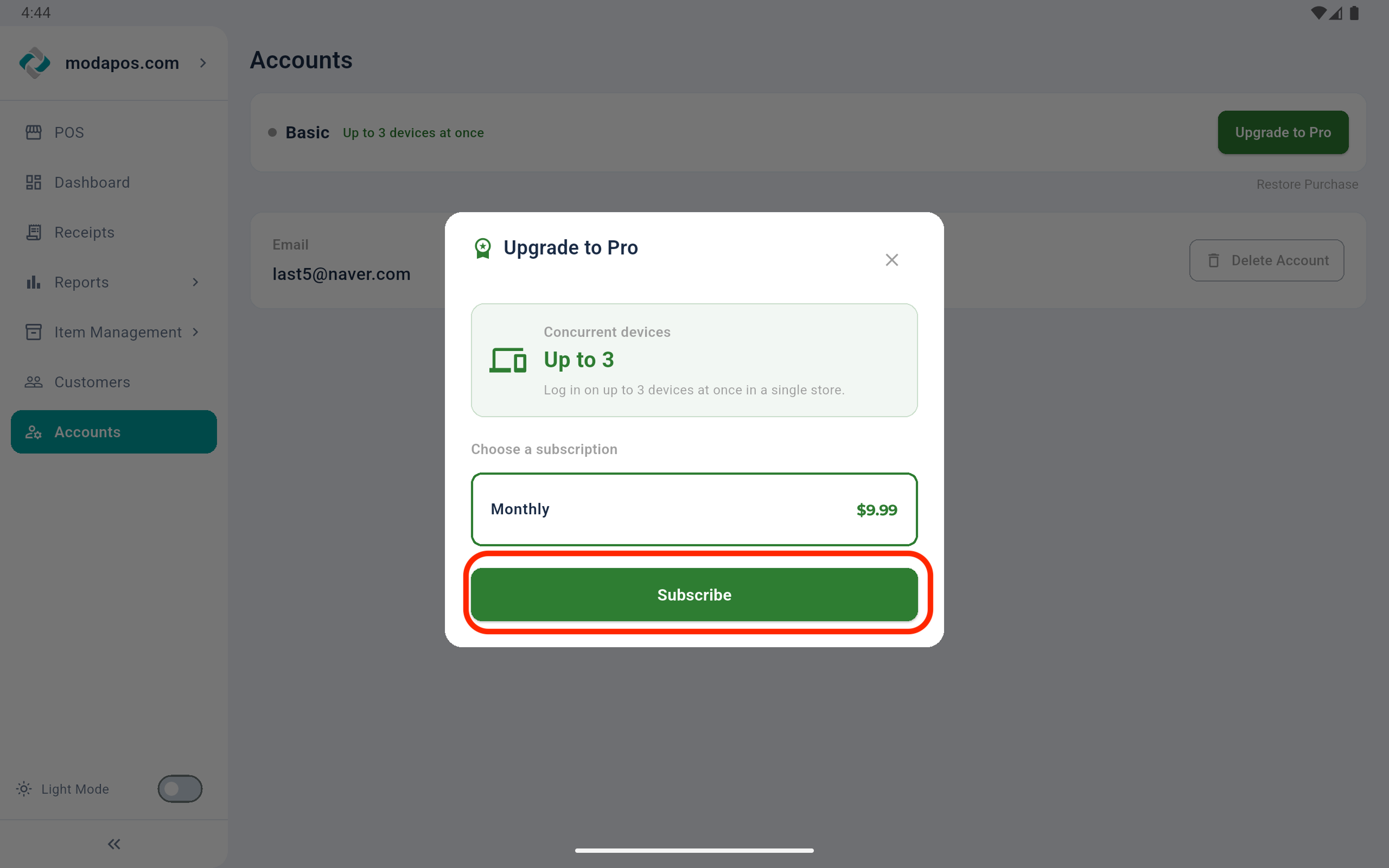
4Tap the 'Subscribe' button, then complete the in-app payment.