
How to Subscribe

You can subscribe to the ModaPOS Pro plan in the app. Follow the steps below and you will be on the Pro plan in a few minutes.

Download the app

If you have not installed the app yet, get it below.

Subscribing in the app

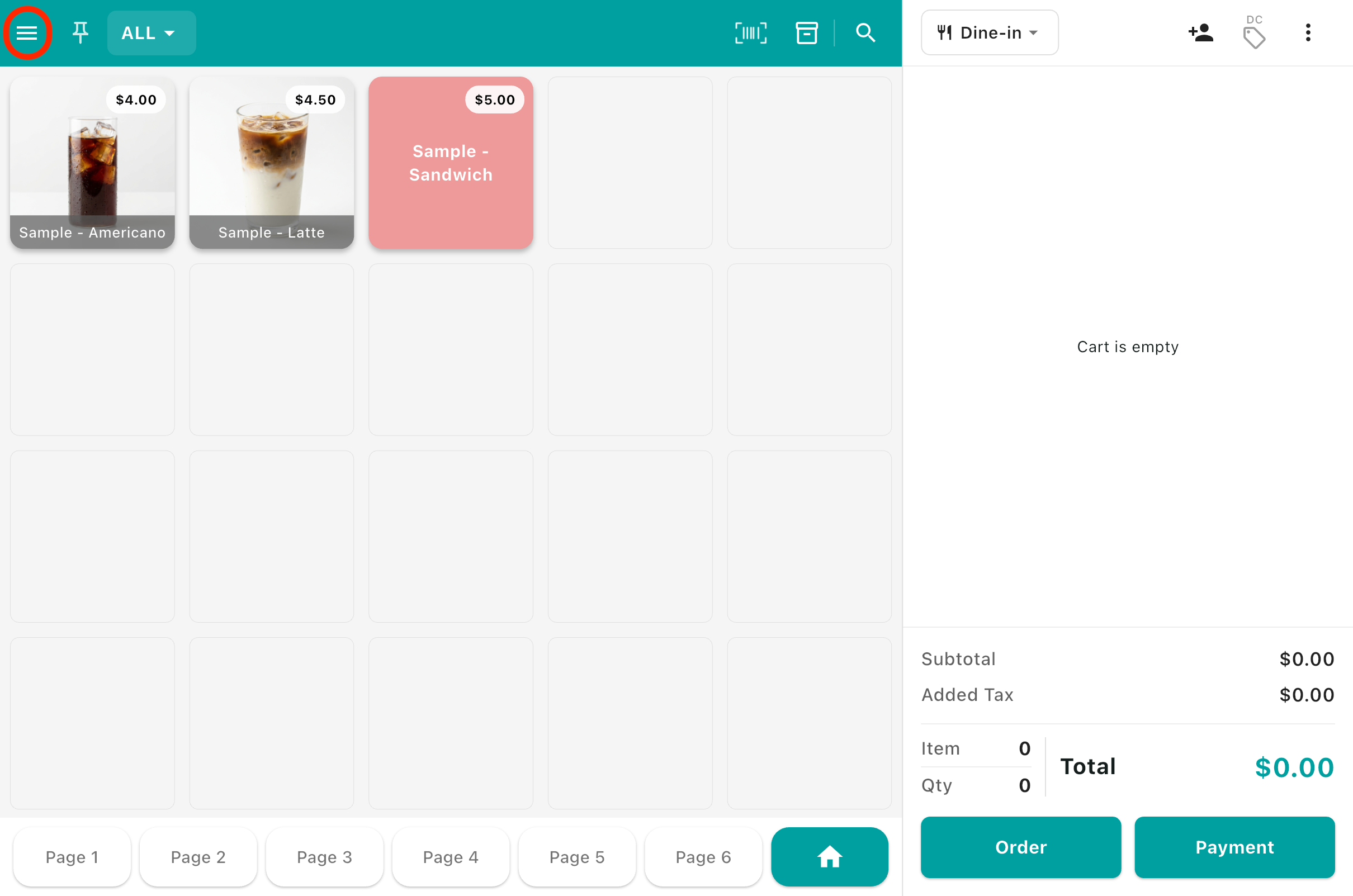
  1. 1Tap the ≡ menu button in the top left of the main screen.

    How to Subscribe 1
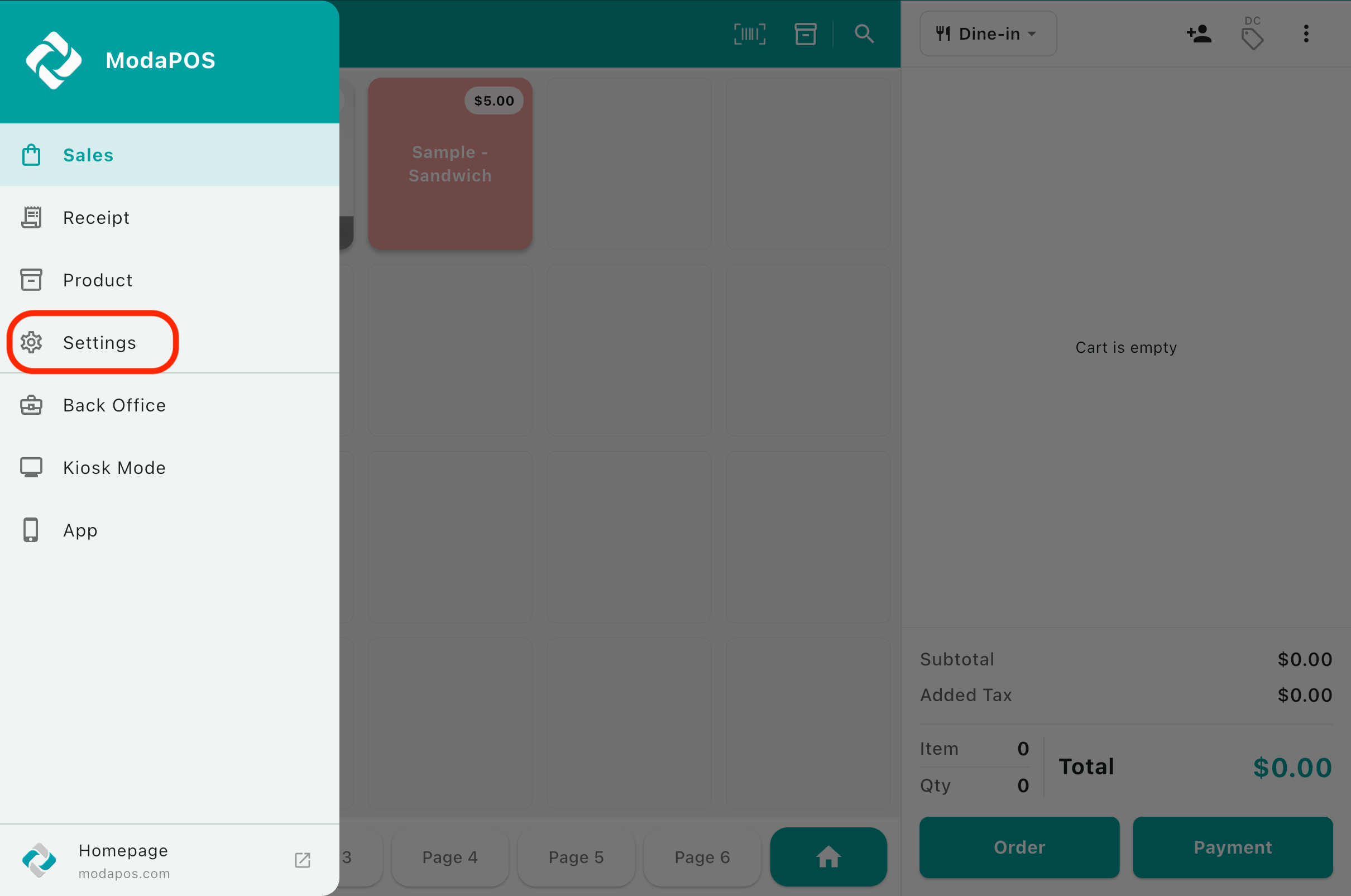
  2. 2Tap Settings in the sidebar.

    How to Subscribe 2
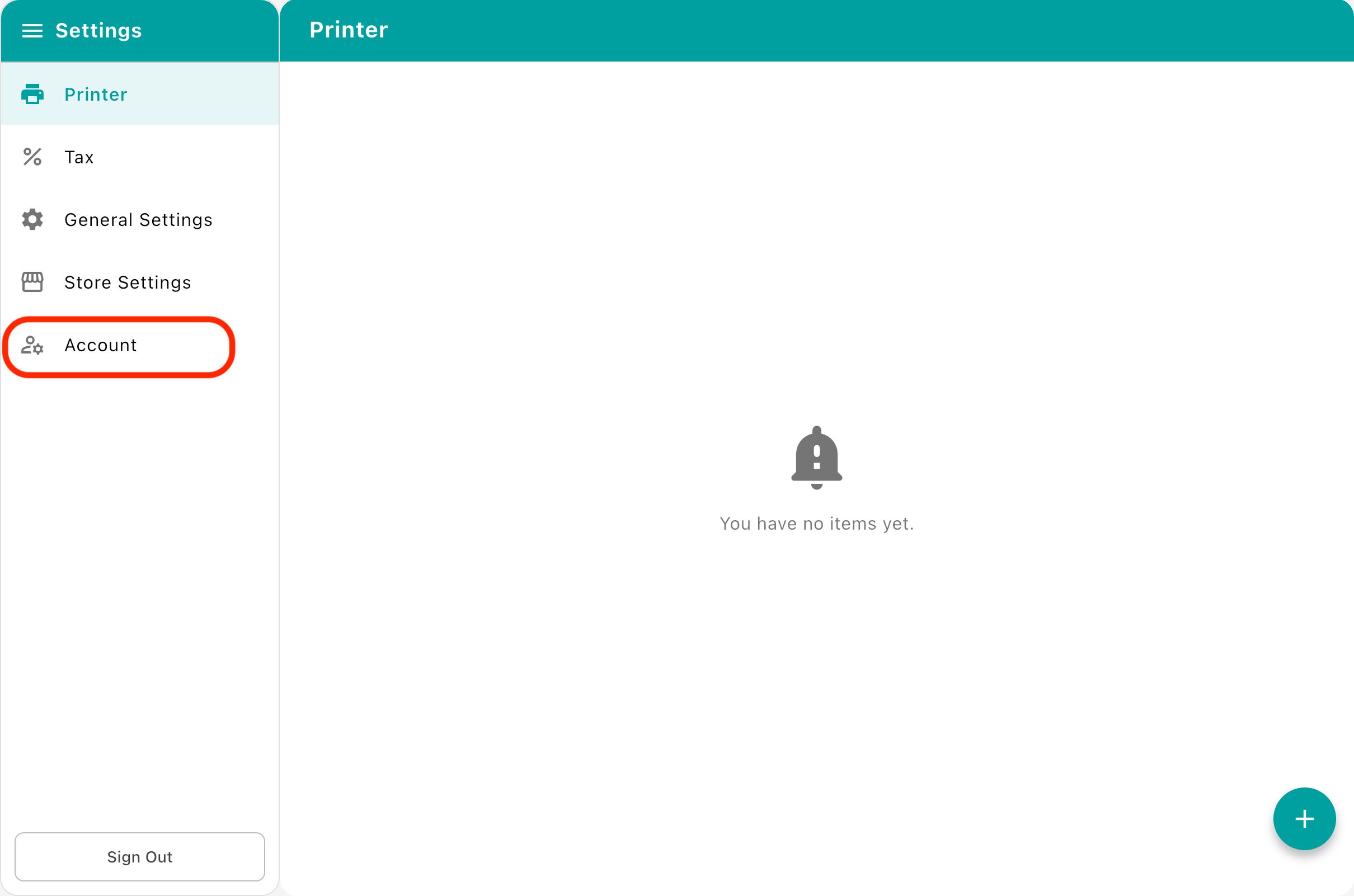
  3. 3Tap Account on the settings screen.

    How to Subscribe 3
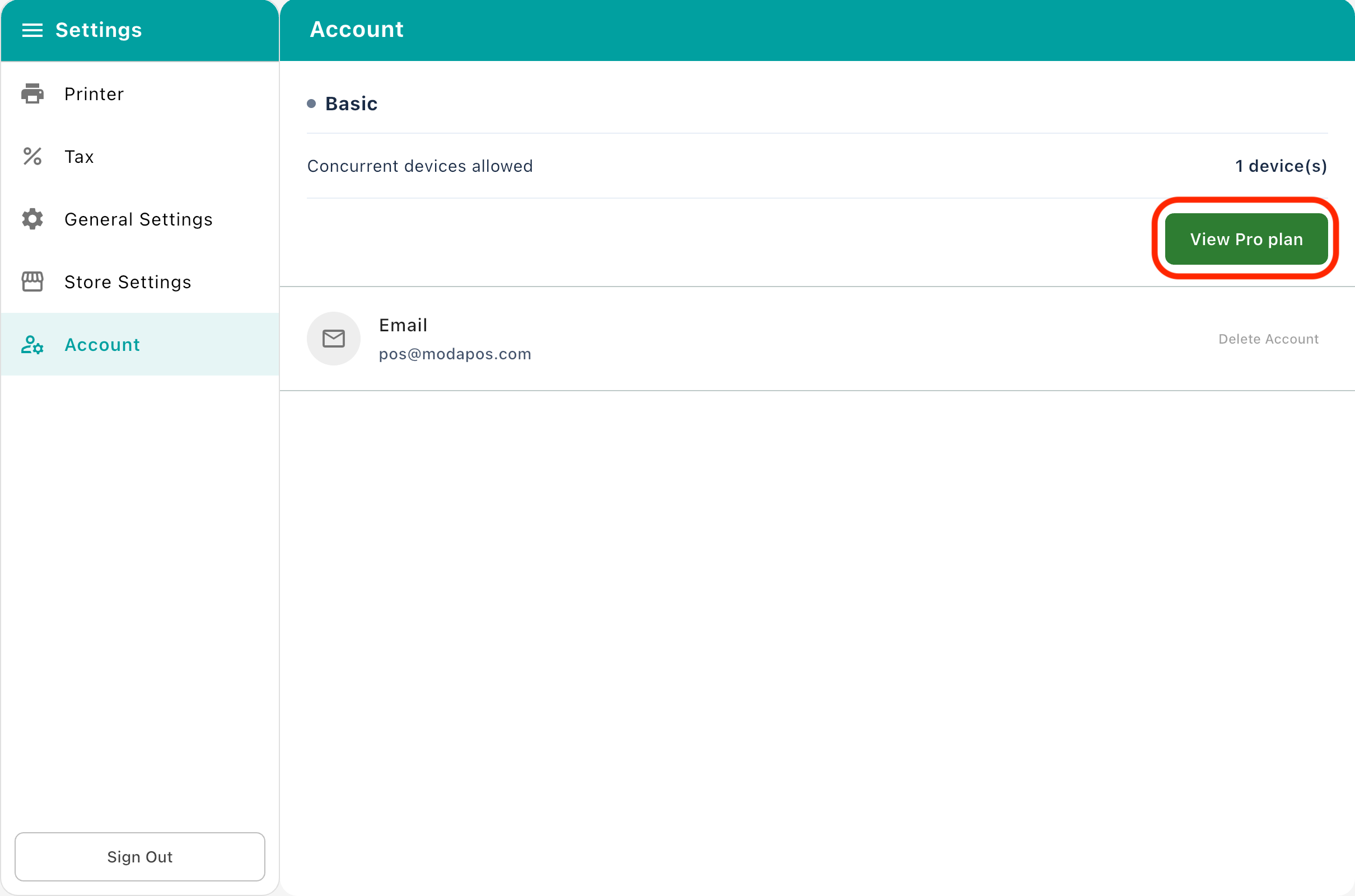
  4. 4Tap View Pro plan on the account screen.

    How to Subscribe 4
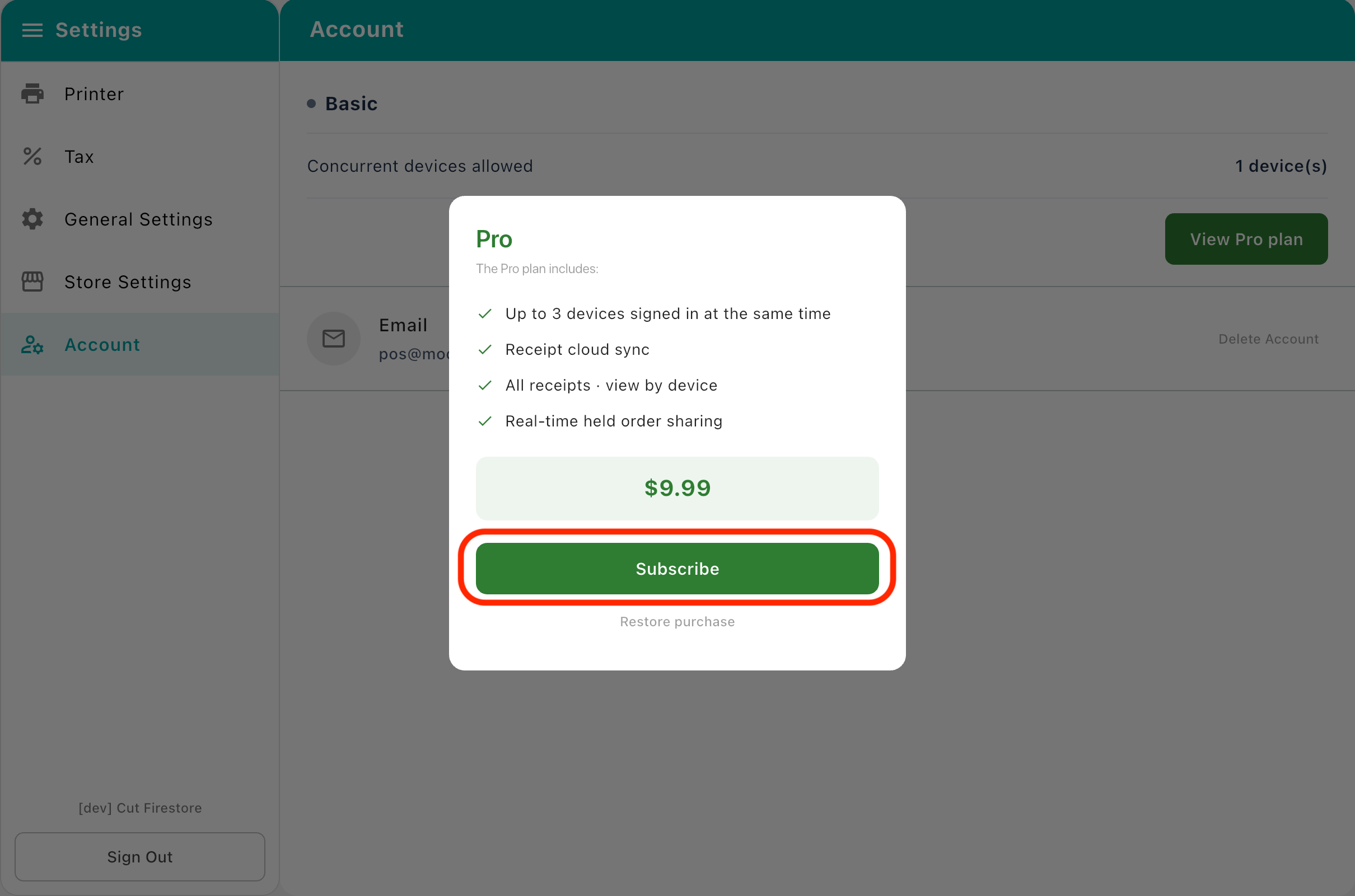
  5. 5Tap Subscribe in the dialog. Complete the purchase in the store payment sheet and the Pro plan applies right away.

    How to Subscribe 5

Refunds

How a refund works depends on the store you paid through. [Android] We issue a full refund within 10 days of your first payment. Contact us with your store name and sign-in email, and we will take care of it. [iOS] Apple receives and decides App Store refund requests, and we cannot process them on your behalf. Sign in at reportaproblem.apple.com with your Apple Account, select the purchase, and request a refund. If your request is declined, you can follow up with Apple Support.