
Back Office
Today's store,in numbers
No spreadsheets to maintain. Sales, profit, best sellers, and repeat customers are all in one Back Office screen.
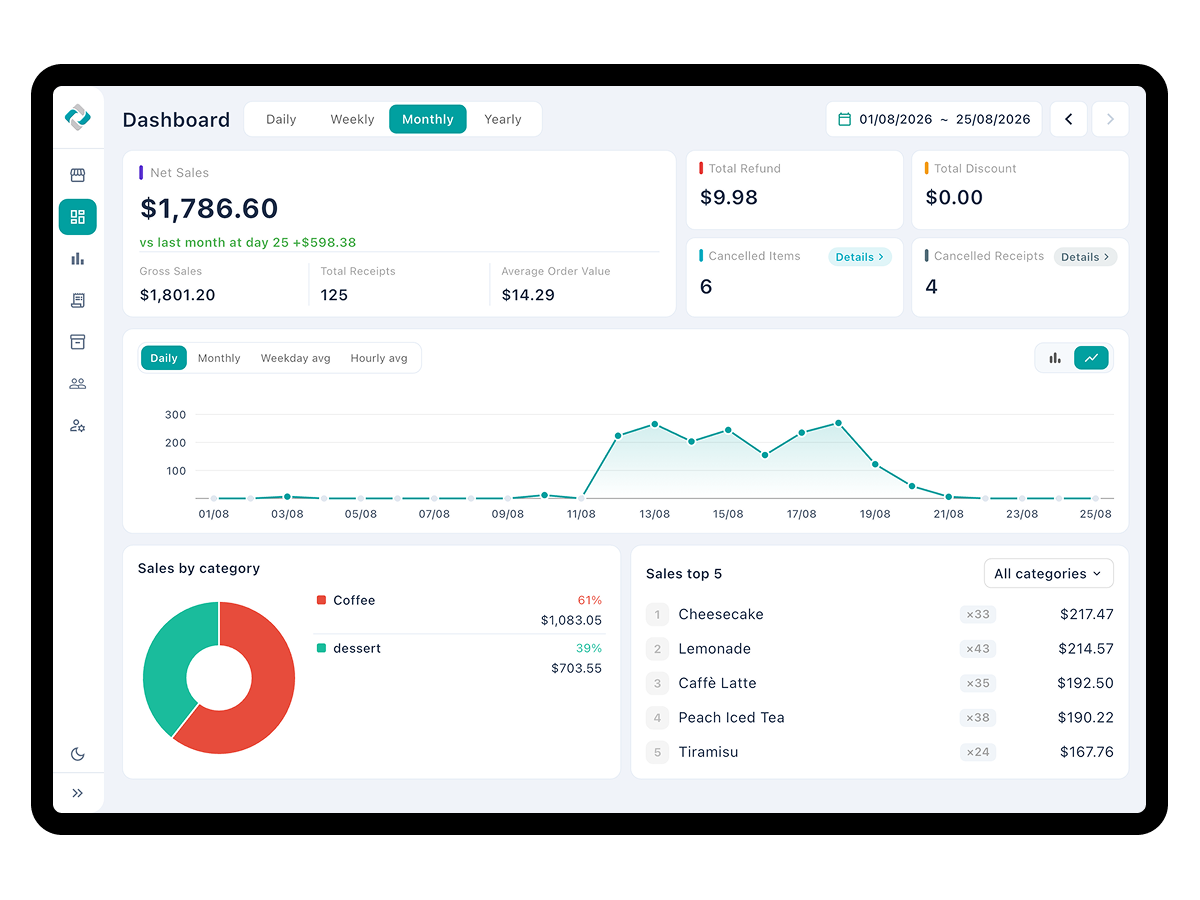
Track your store in real time from the dashboard
- Switch between today, yesterday, this week, and this month to review performance by period
- Check ticket count, gross sales, net sales, returns, discounts, and average ticket in a single row of cards
- See the rate of change in ticket count and revenue against the same preceding period
- View included tax and added tax right alongside net sales
- See the top 5 items and the category ranking at a glance
- Check cancelled items and deleted tickets by count, and open the details from there
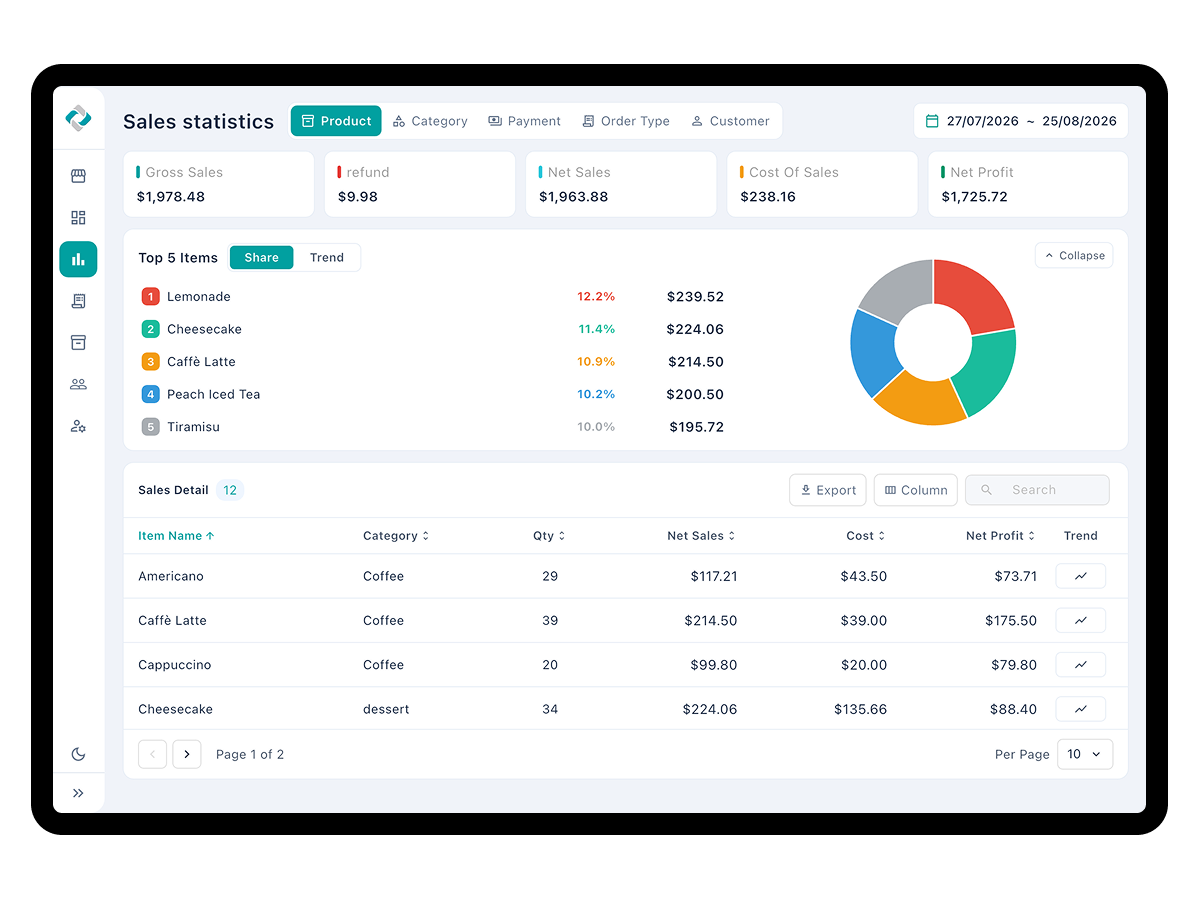
Analyze sales trends from every angle
- Compare sales by item, category, payment method, order type, and customer, switching within one menu
- Use the discount sales report to see how discounts actually affected revenue
- Use the hourly sales chart to find when revenue concentrates
- Pull results instantly with shortcuts like today, yesterday, this week, last month, and last 30 days
- Pick only the columns you need, and export to CSV or PDF
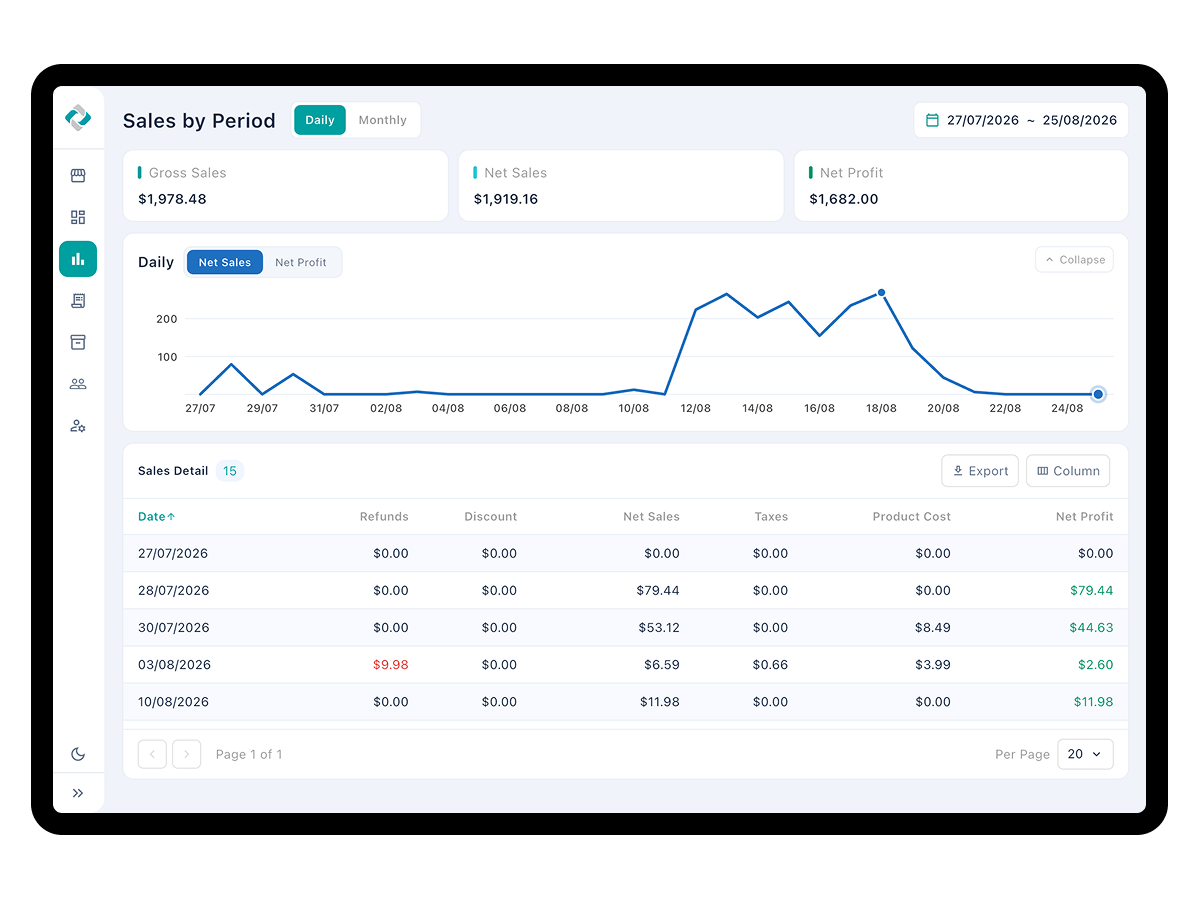
React quickly to shifts in your business
- Toggle daily and monthly to see day-to-day swings and month-over-month direction together
- Set start and end dates to pull exactly the stretch you want
- Review refunds, discounts, tax, cost, and net profit in a table by date
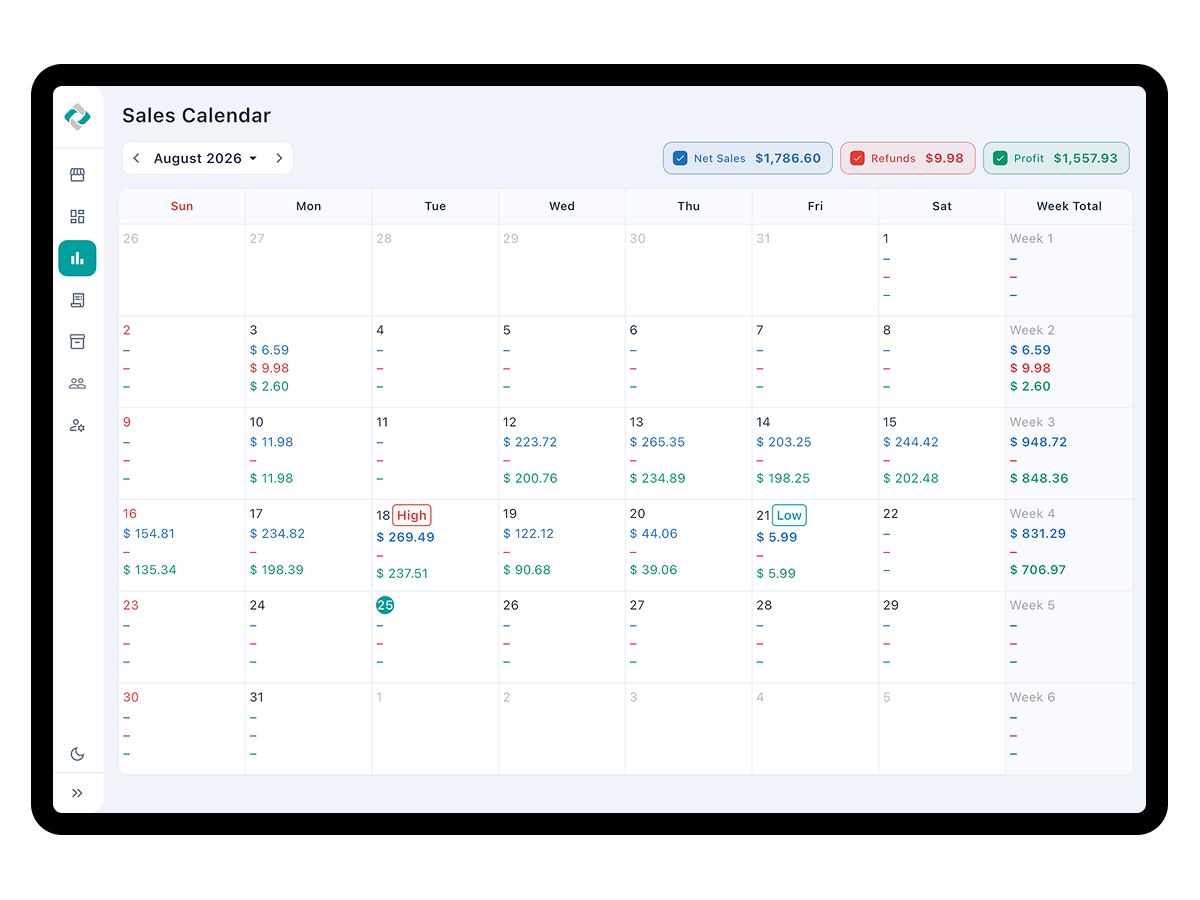
See a whole month at once with the sales calendar
- Check daily results and weekly totals laid out as a calendar
- Choose net sales, refunds, cancellations, or profit to display on the calendar
- See the monthly total for the chosen figure, plus the best and worst days
- Jump straight to any period with the year and month picker
- Select a date to go directly to that day’s sales detail
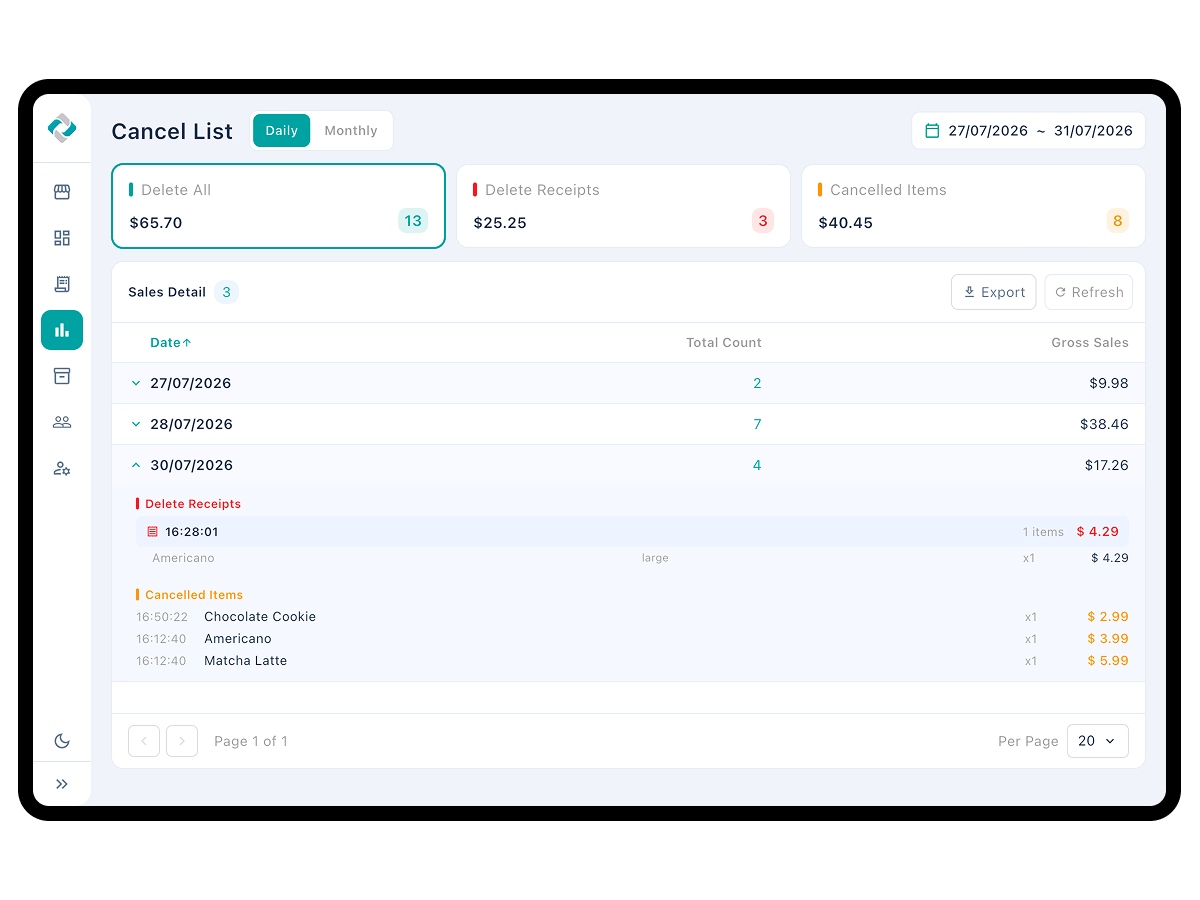
Keep tax and cancellations on the record
- Tally included tax and added tax separately and use them as filing material
- Switch by tax type and by day or month to organize several rates
- Confirm the taxable base easily with tax-exclusive revenue
- Check counts and amounts with deleted tickets and cancelled items kept separate
- Export tax and cancellation records to CSV or PDF
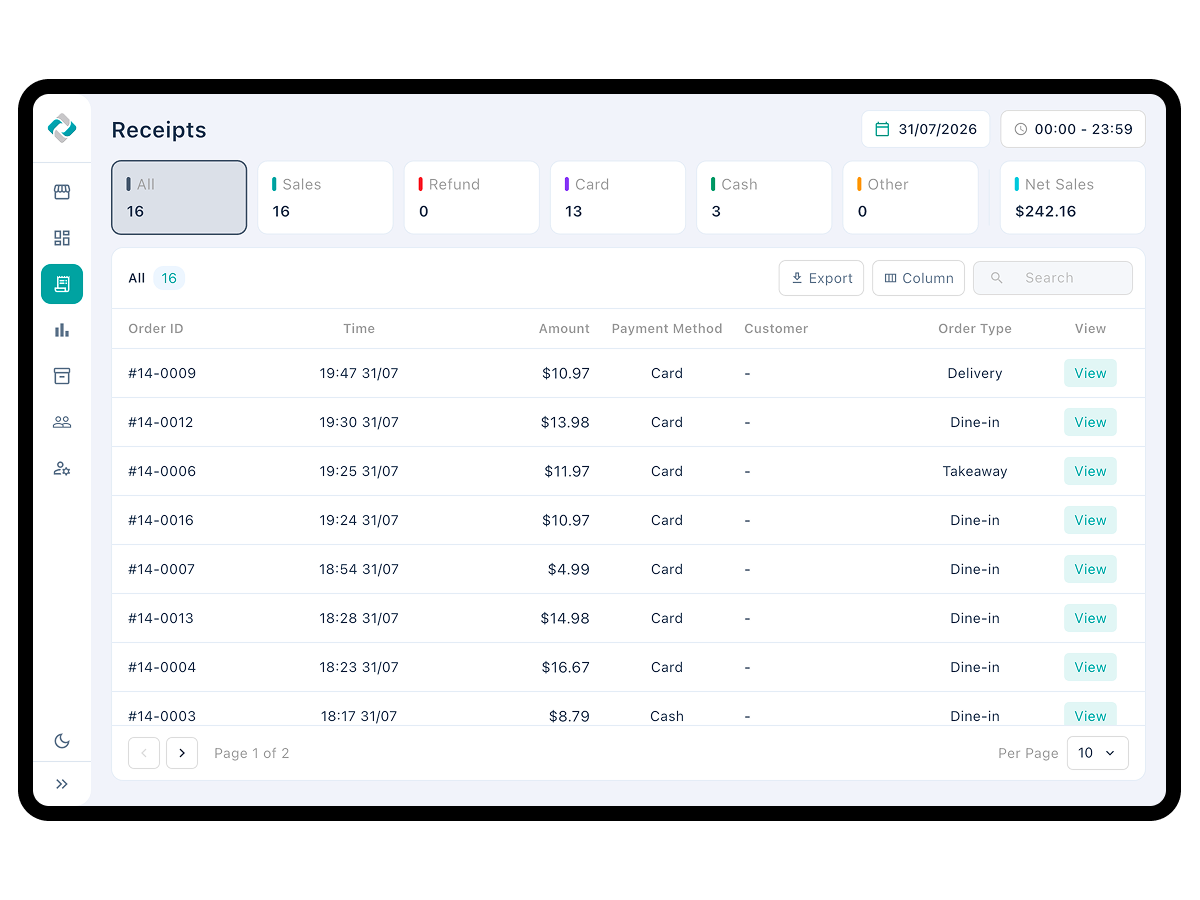
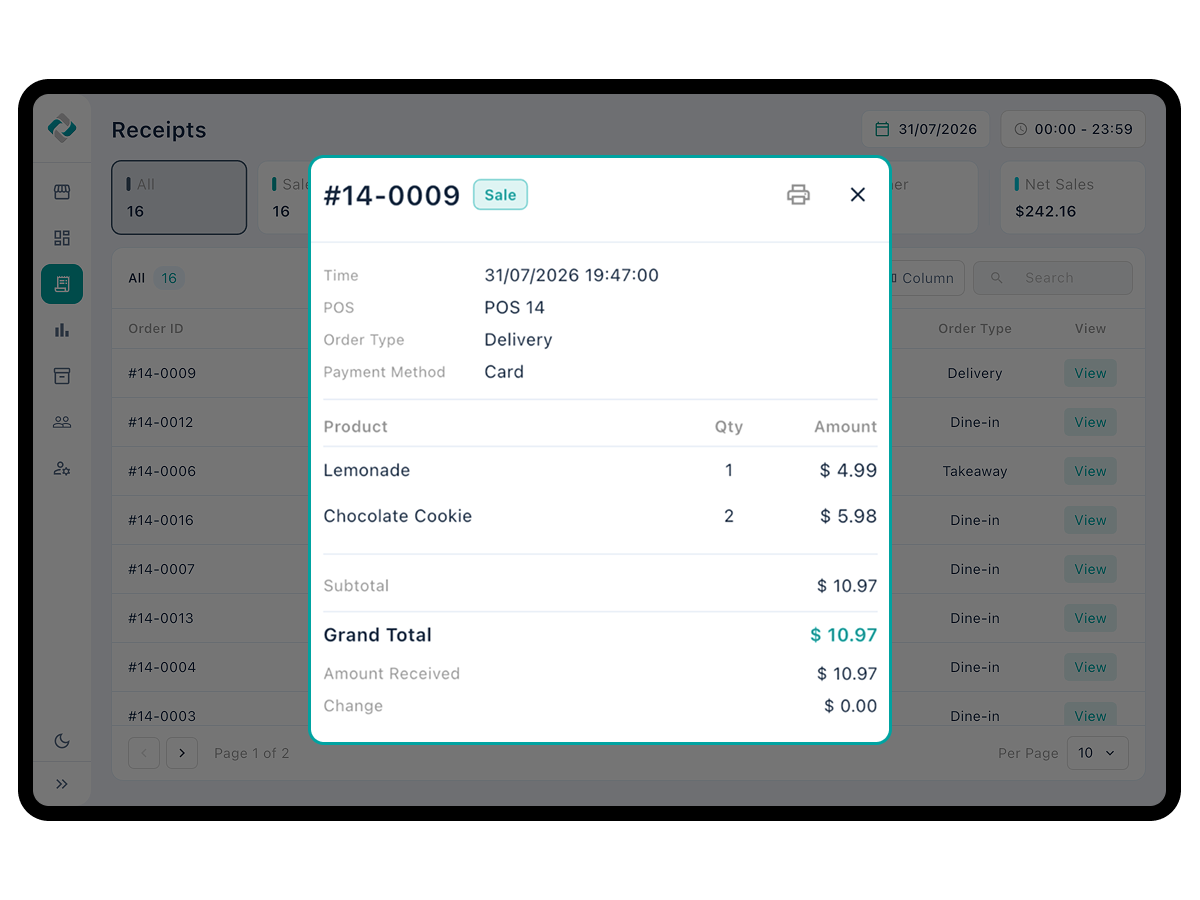
Review the complete sales record
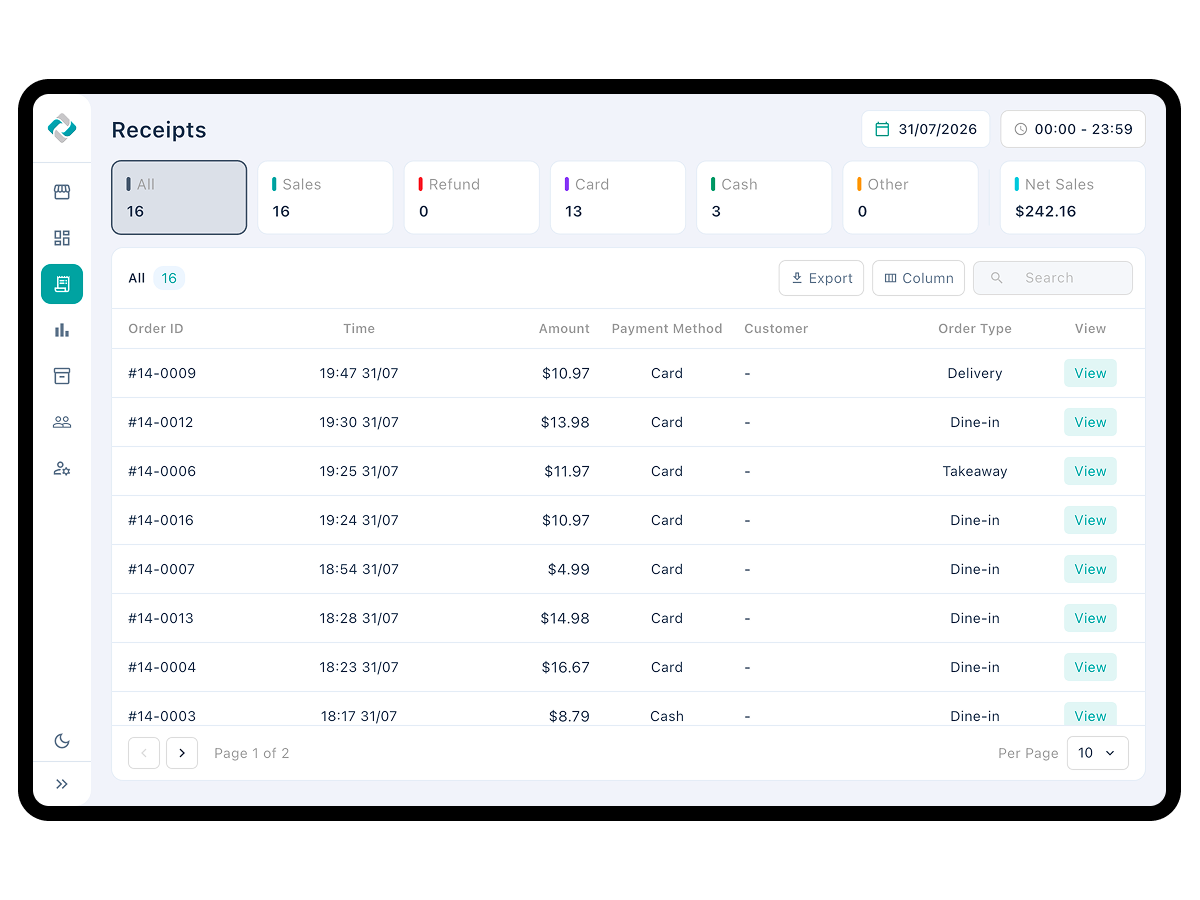
- Pull only the transactions you need with all, sales, refunds, card, cash, and other tabs
- Set the date and start and end times to the minute to review a specific window
- Search by order number, customer information, payment method, order type, or date
- Open the original receipt from the list to check items and payment details
- Show discount, net sales, cost, profit, memo, POS, and order sheet columns as needed
- Export results to CSV or PDF
Simplify item management and customization
- Manage items, categories, modifiers, discounts, and tax in one place and reach the POS immediately
- Check price, cost, profit, and margin together in the list
- Build options like size and color as modifiers and apply them to items
- Customize discounts as a fixed amount or a percentage, whichever you need
- Select several items to stop selling, resume, duplicate, or delete at once
- Import items and customers in bulk by CSV, and export lists to CSV or PDF
- Find any item instantly with name, code, and barcode search plus category and sale-status filters
Turn occasional visitors into regulars
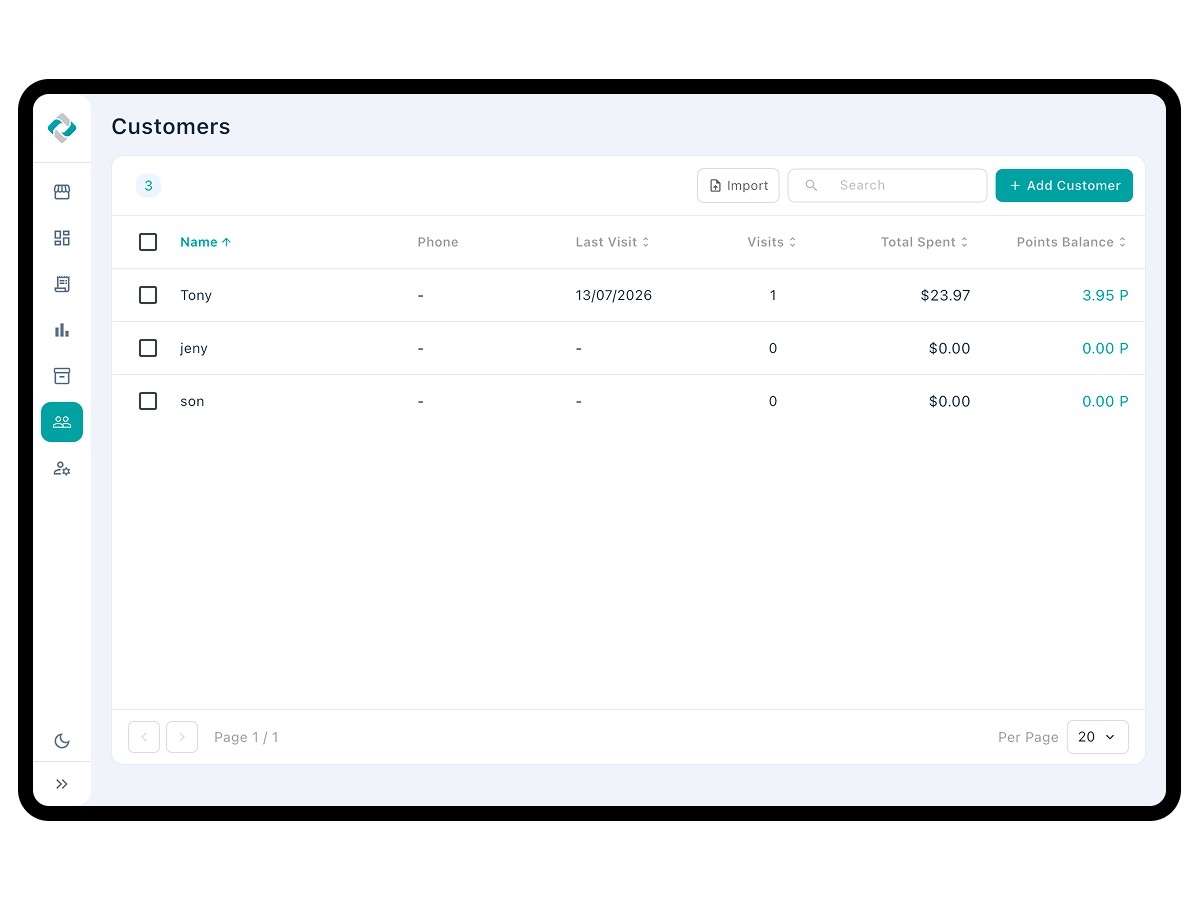
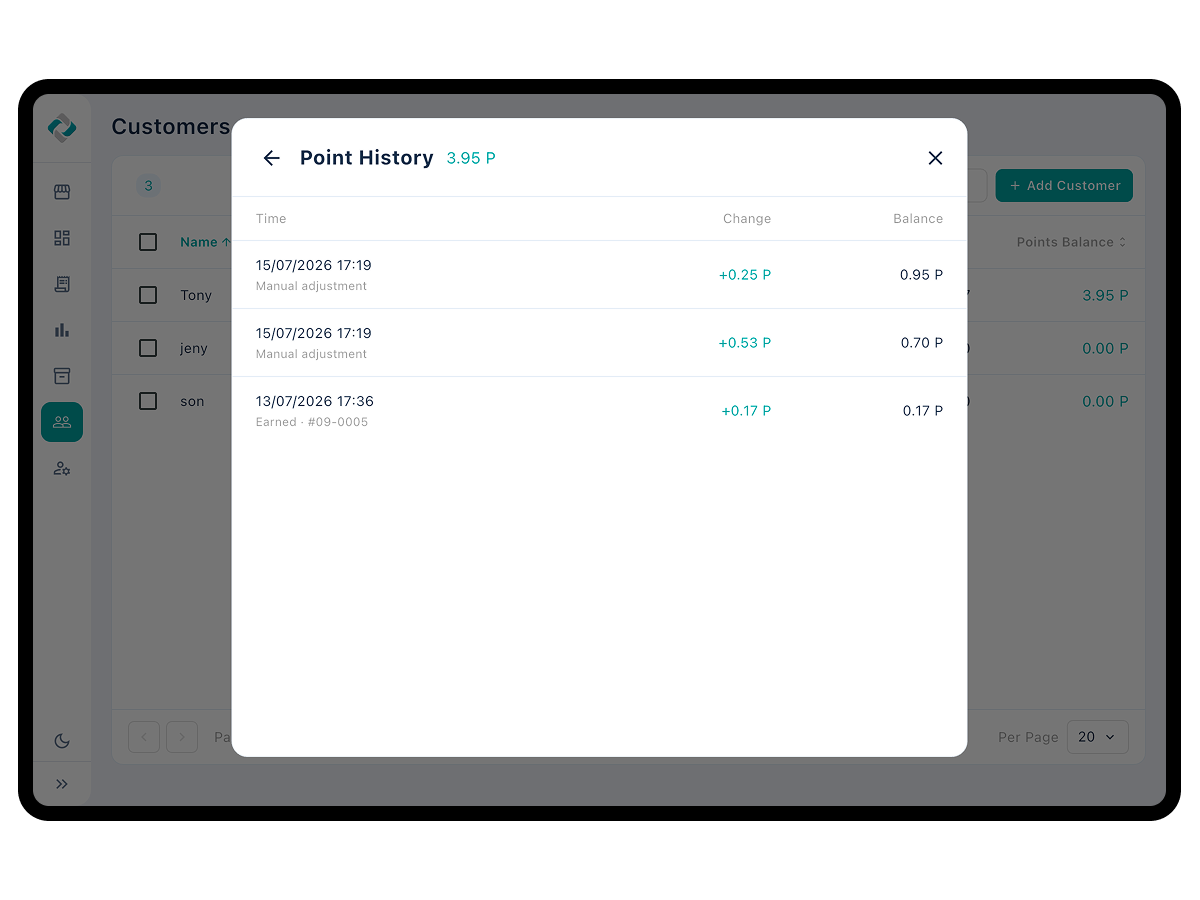
- Drive repeat purchases with point earning and redemption
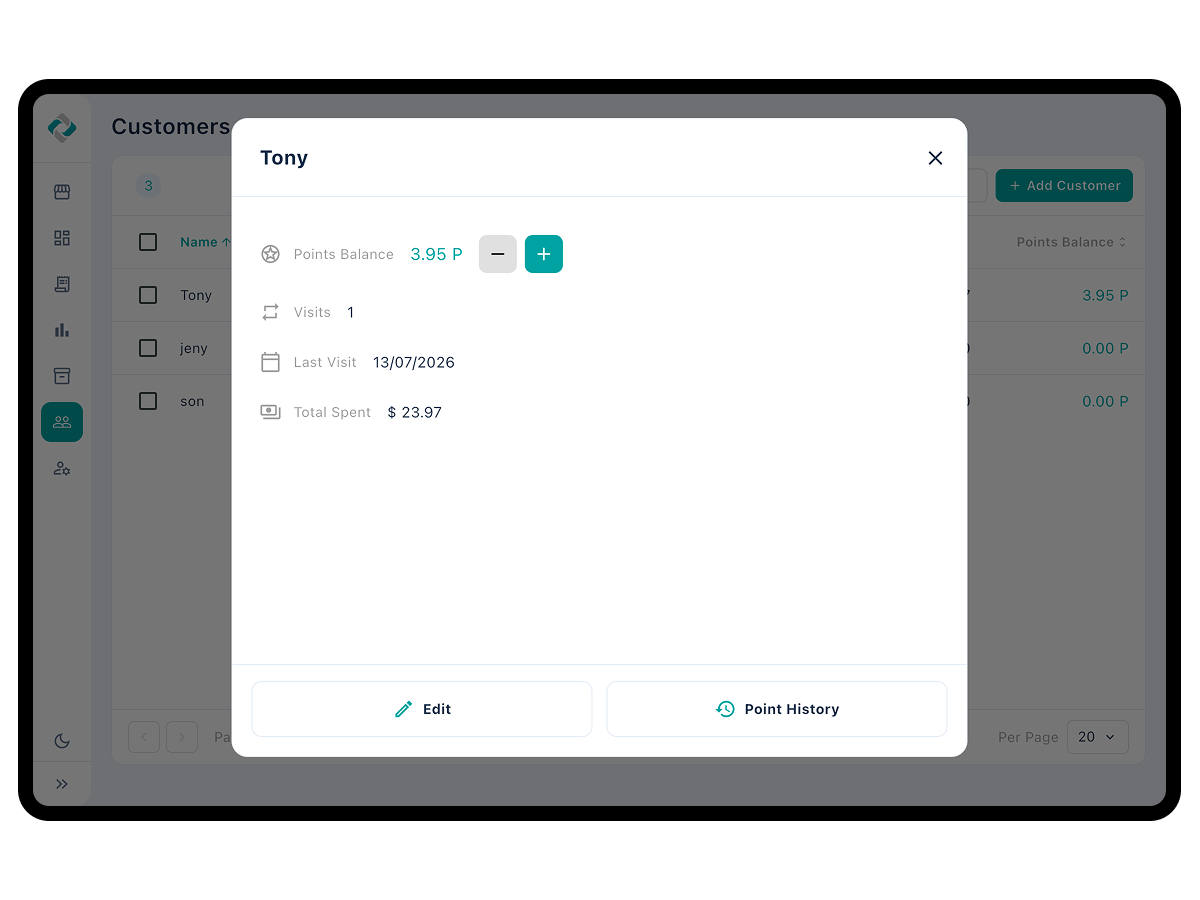
- Compare visit count, last visit, and lifetime spend to identify your regulars
- Record contact, email, address, and memo to keep track of customer preferences
- Add or deduct points directly to run events and rewards
- Keep earning, redemption, restoration, deduction, and adjustment history to back up any question
- Bulk-register customer information by CSV to build your initial data fast
See your own storein numbers
The Back Office comes with ModaPOS. Nothing extra to pay for.